
Adding a VPN Tunnel Interface for Route-Based VPN
Configure a VPN Tunnel Interface (VTI) for a route-based VPN connection. The procedure explains how to create and configure the VTI settings.
Adding a VPN Tunnel Interface for Route-Based VPN
-
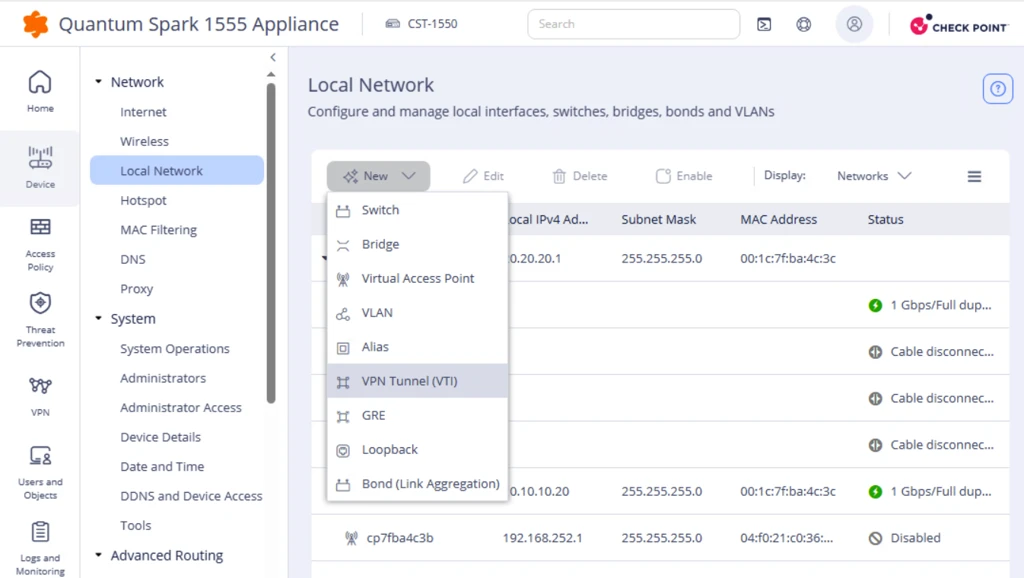
Click New and select VPN Tunnel (VTI).
-
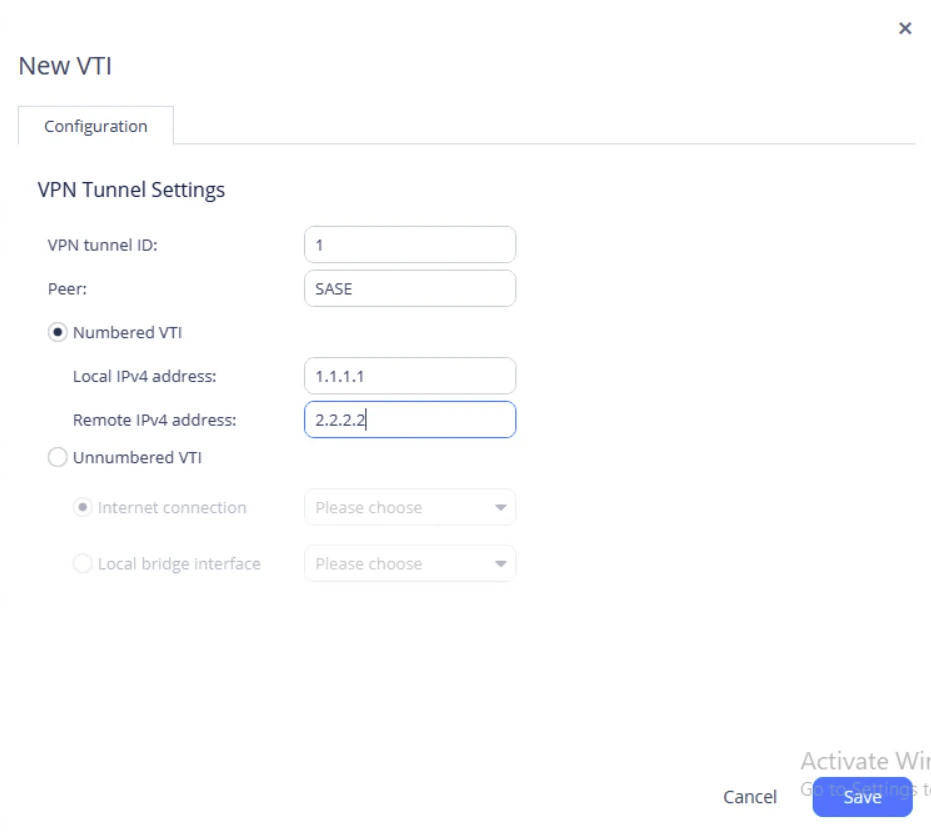
In the VPN Tunnel Settings window, enter these details:
-
VPN tunnel ID: Enter the tunnel ID assigned by the administrator.
-
Peer: Select the VPN site name. The peer name must match the VPN site name. In this example, select SASE.
-
Select Numbered VTI and enter the Local IPv4 and Remote IPv4 addresses assigned by the administrator.
-