Usage Report

Usage reports give Managed Security Service Providers (MSSPs) full visibility into the number of devices and license status across their child tenants. This helps them:

  • Accurately bill customers based on active, inactive, or provisioned devices.

  • Align their license usage (based on active and provisioned devices) to avoid unnecessary costs.

Admins can generate and download this report in CSV format whenever needed, or set up a schedule to automatically generate and receive it on a weekly or monthly basis.

  1. Go to Settings > Administrators.
  2. Click Notifications.

    The Notification Settings pane appears.

  3. Expand Report.
  4. Select the Send usage report checkbox.
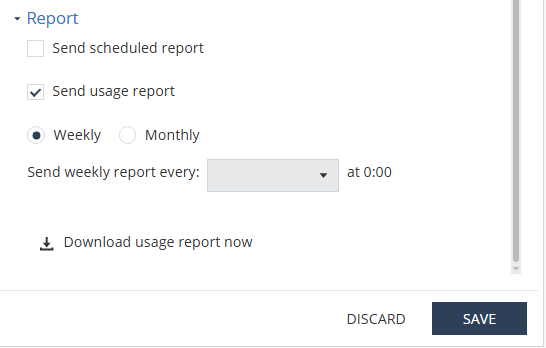
  5. To schedule the report, select the weekly or monthly option and set the day or date to generate the report.

    The system generates the report at 00:00 UTC on the scheduled day and sends it through email to the administrator who set up the schedule.

  6. To generate and download the usage report instantly, click Download usage report now.

    The system generates and downloads the report in CSV format.

  7. Click Save.