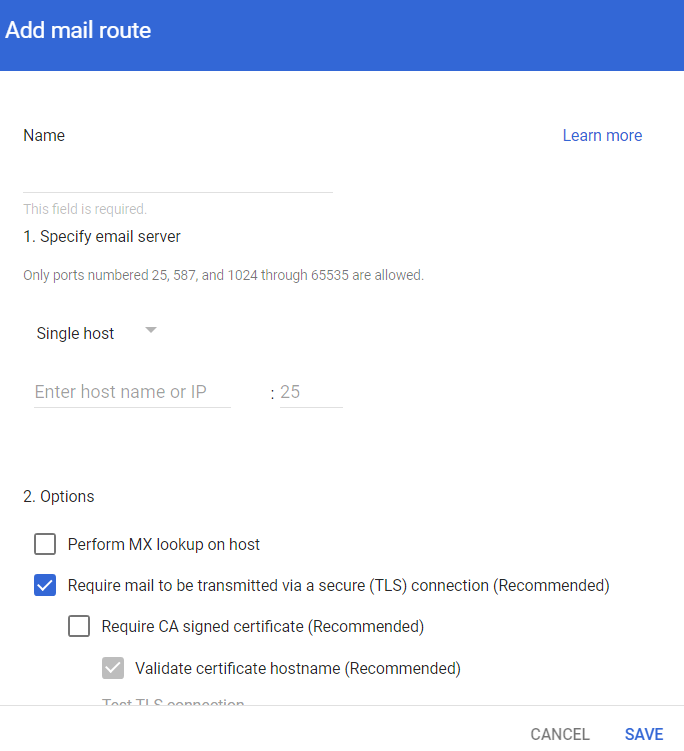
Step 1: Adding a Host Sign in to the Google Admin Console. From the left navigation panel, click Apps > Google Workspace > Gmail. Click Hosts. Click Add Route. Under Name, enter CLOUD-SEC-AV DLP Service. Under Specify email server, select Single host. Enter the host name as [portal identifier]-dlp.avanan.net. To find the portal identifier, see Portal Identifier of Avanan Tenant. Enter the port number as 25. Under Options, clear the Require CA signed certificate checkbox. Click Save.