Enable or disable an authentication method
To enable or disable an authentication method, do these:
- Access the Avanan Administrator Portal and click Security Settings.
- Go to User Interactions > Quarantine > End User Portal.
-
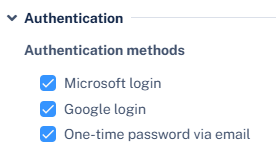
In the Authentication section, select or deselect the required authentication methods:
-
Microsoft login
-
Google login
-
One-time password via email
-
-
Click Save and Apply.
Note:
After enabling the authorizing method (google/microsoft), an administrator must authorize the login for the entire organization by granting the necessary permission. For more information, see Authorizing Login Access for the Organization.