
Attachment Cleaning (Threat Extraction) - End-User Experience
If a policy is configured to clean the files and when a file is sent in an email, you will receive the email with a cleaned file. By default, the cleaned file will have threat_extracted_ mentioned before the file name.
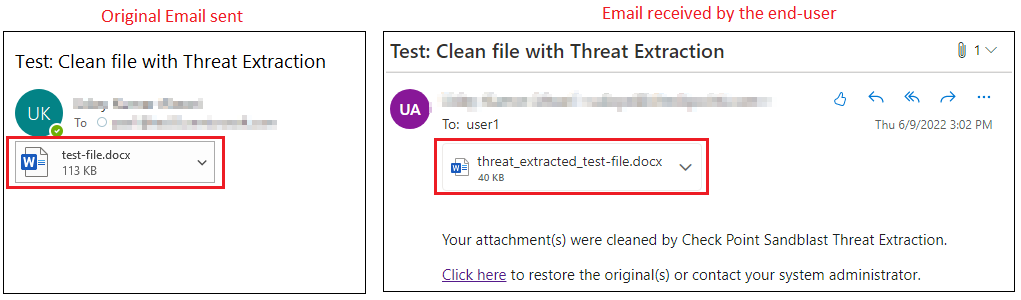
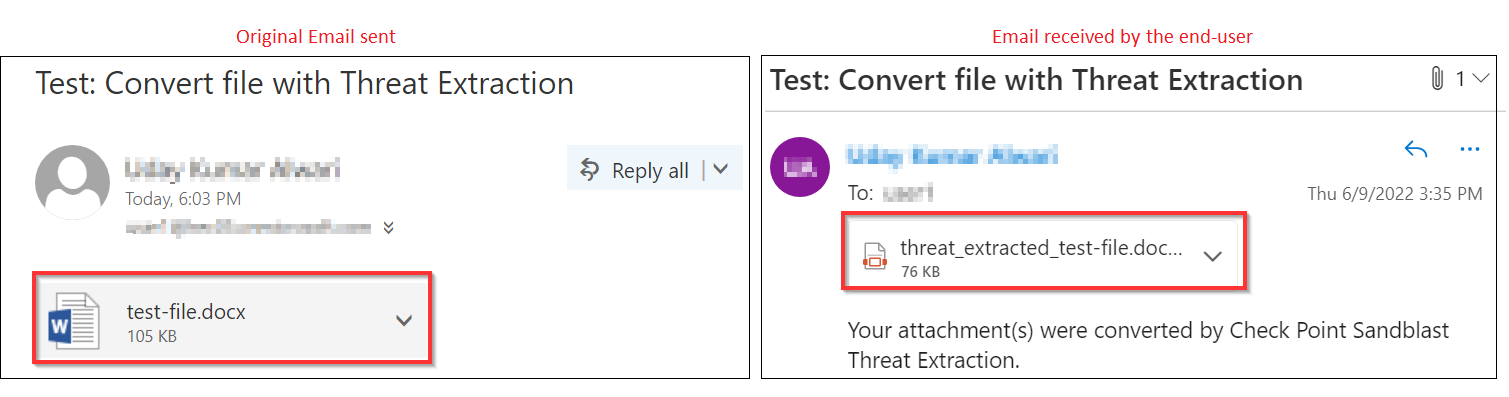
If a policy is configured to convert the files and when a file is sent in an email, you will receive the email with a converted PDF file. By default, the converted PDF file will have threat_extracted_ mentioned before the file name.
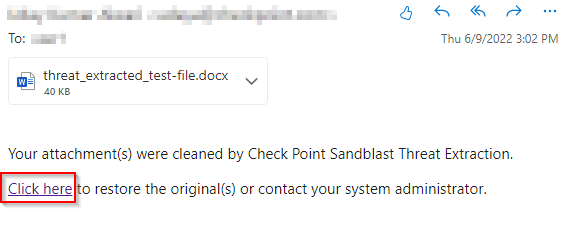
To request to restore the original email by the end-user:
-
Click the link below the attachment in the email.
For more information on who receives the restored emails, see Who Receives the Emails Restored from Quarantine.