Configure the SPF Record
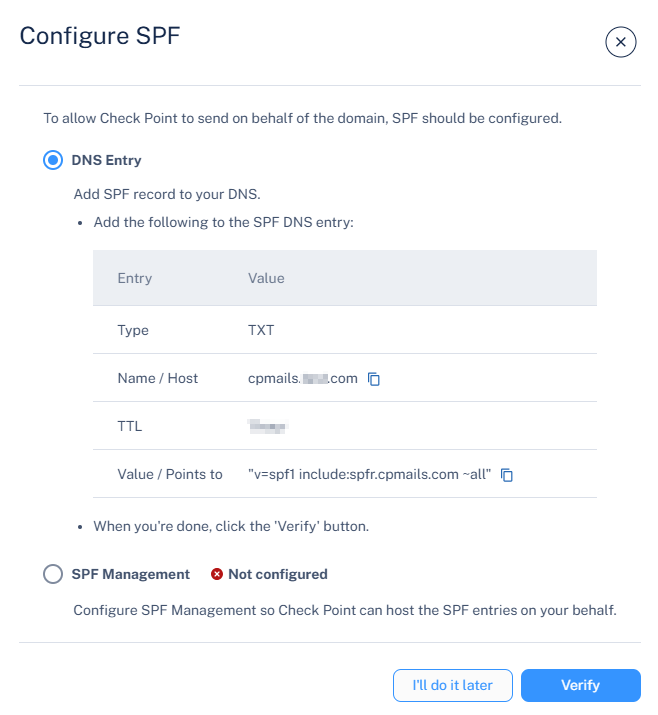
Configure the SPF record in your domain's DNS to allow Avanan to send emails on behalf of your domain, prevent spoofing, and improve deliverability.
-
Click the
 icon for the required domain.
-
Click Configure SPF.
The Configure SPF pop-up appears.