R81.20 Endpoint Security Web Management Administration Guide
Endpoint Security Configuration
After you deploy the Endpoint Security Client, the installation does not start immediately. The user can postpone the installation for up to 48 hours. To start the Endpoint Security Client installation immediately, before Creating the Endpoint Security Windows App in Microsoft Intune, follow these steps.
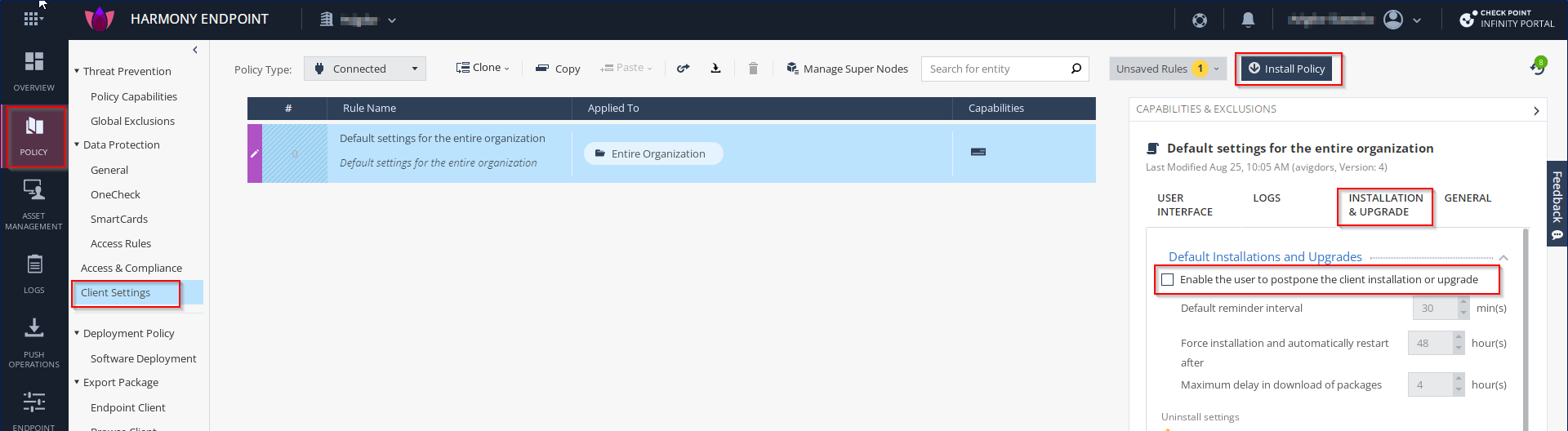
Log in to Check Point Portal and access the Endpoint SecurityAdministrator Portal.
Go to Policy > Client Settings.
In the right section Capabilities & Exclusions, click the Installation & Upgrade tab.
Clear the Enable the user to postpone the client installation or upgrade checkbox and click Save.
Click Install Policy to deploy the rule to the endpoints.
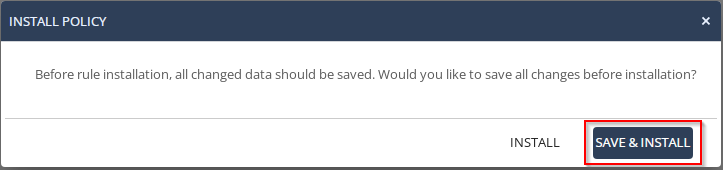
In the Install Policy pop-up screen, click Save & Install.