
Policy Mode
Policy mode allows you to:
-
Quickly configure a Threat Prevention policy by selecting a predefined policy mode (Detect only, Tuning and Optimized). Check Point automatically sets the appropriate operation mode (Detect, Prevent, Off) and Advanced Settings options for each capability.
-
Manually set the operation mode (Detect, Prevent, Off) and Advanced Settings options for each capability (Custom).
|
|
Notes:
|


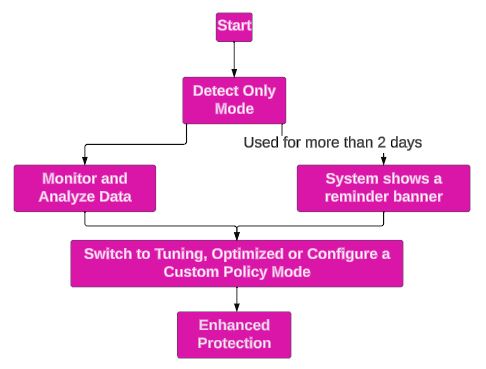
To select a mode for a policy:
Updating a Predefined Policy Mode
Based on internal analysis and research, Check Point may suitably modify the operation mode or Advanced Settings of a predefined policy mode. If a predefined mode is updated, a notification appears.
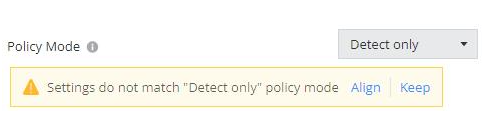
-
Click Align to accept the updates. The system automatically updates to the new settings for the predefined mode.
-
Click Keep to retain the current settings. The policy mode changes to Custom.