
Firewall
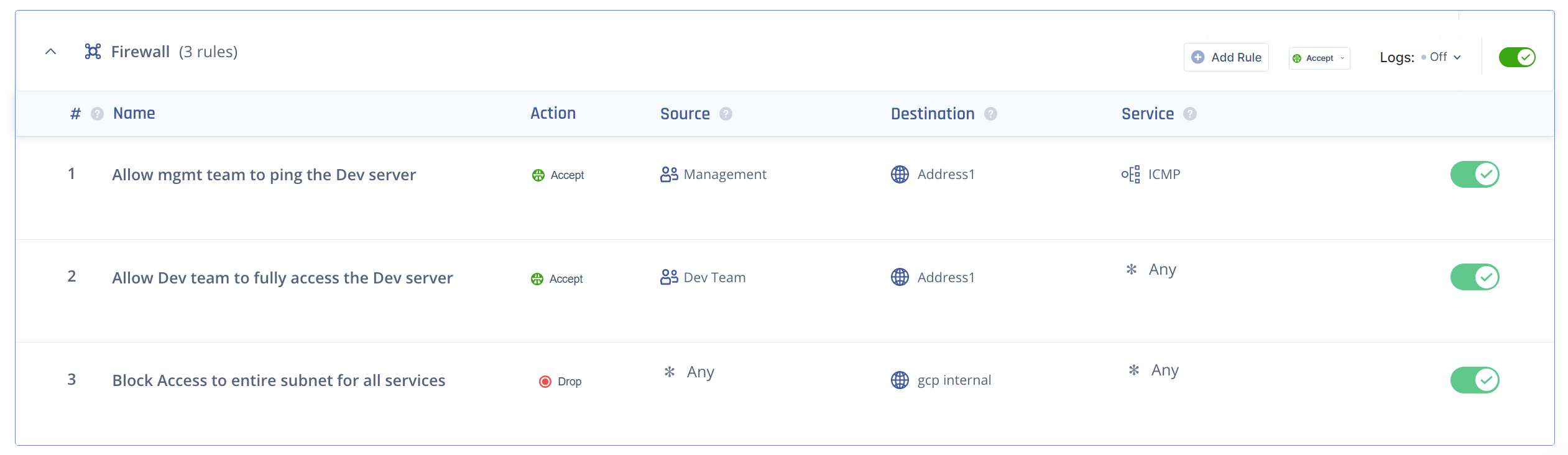
The Firewall page allows you to create access rules for your network.
To view the Firewall page, access the Check Point SASE Administrator Portal and click Private Access > Firewall.
Contact your account manager to request firewall logging functionality.
Use Case
-
Create rules for specific user groups, resources, and protocols. For example, deny access to the management user group to a certain resource if accessed through the Internet Control Message Protocol (ICMP).
-
Create a comprehensive rule for the entire network traffic. For example, block all traffic on a specific port.
Prerequisite
Define your network with IPSec or Check Point SASE Connector tunnel. See Adding a Tunnel.
Access Rules Order
The order of the rules indicate the sequence in which the system checks and applies the rules. For example, if a user tries to access a resource, then the system first checks if the traffic matches rule #1. If it does, it applies the rule. Otherwise, the system checks if the traffic matches rule #2, and so on. If none of the rules match, then the system applies the default rule.