Configuring Lists Manually

This task describes how to manually configure lists in Playblocks. It guides users through selecting list types, adding items, and managing entries.

  1. Access Playblocks and click Lists.
  2. Select a list.
    • Blocked Destinations

    • Allowed Sources

    • Quarantined Sources

    • Playblocks IoCs

    • Isolated Devices

    • Blocked Sources

    • Allowed Identities

    • Untrusted Identities

  3. Click New.
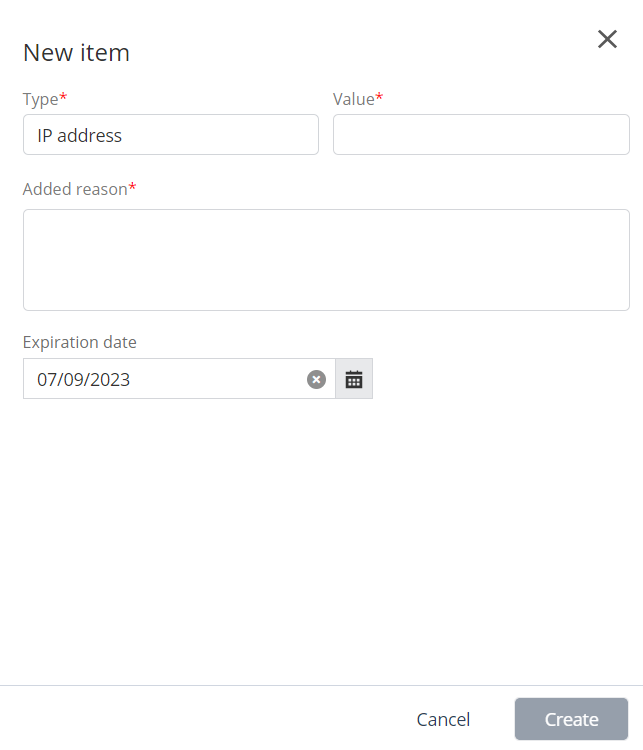
  4. Enter these.
    1. In the Type list, select IP address, Subnet, or Range.
    2. In the Value field, enter a value.
      • For example, for subnet, enter 10.10.11.0/24.

      • For example, for IP range, enter 10.11.12.0-10.11.12.123.

    3. In the Added reason field, enter the reason for adding.
    4. Set the Expiration Date.
  5. Click Create.
  6. To delete, select the IP address and click Delete.