How it Works

This topic describes how the automation process operates from detection through execution and administrator review. It outlines each step performed by the system and the administrator.

  1. Playblocks either detects a malicious activity by analyzing the logs (On the Security Gateway or Multi-Domain Security Management or and Single-Domain Security Management ) or receives the preventive or corrective action to be executed directly, for example, from XDR.
  2. Automatically correlates the required action to a predefined automation.
  3. Executes the automation.
    Note:

    You can disable automatic execution of an automation and configure Administrator approval for execution.

  4. Sends a notification to the Administrator through the configured communication channel, such as Microsoft Teams.

    For example:
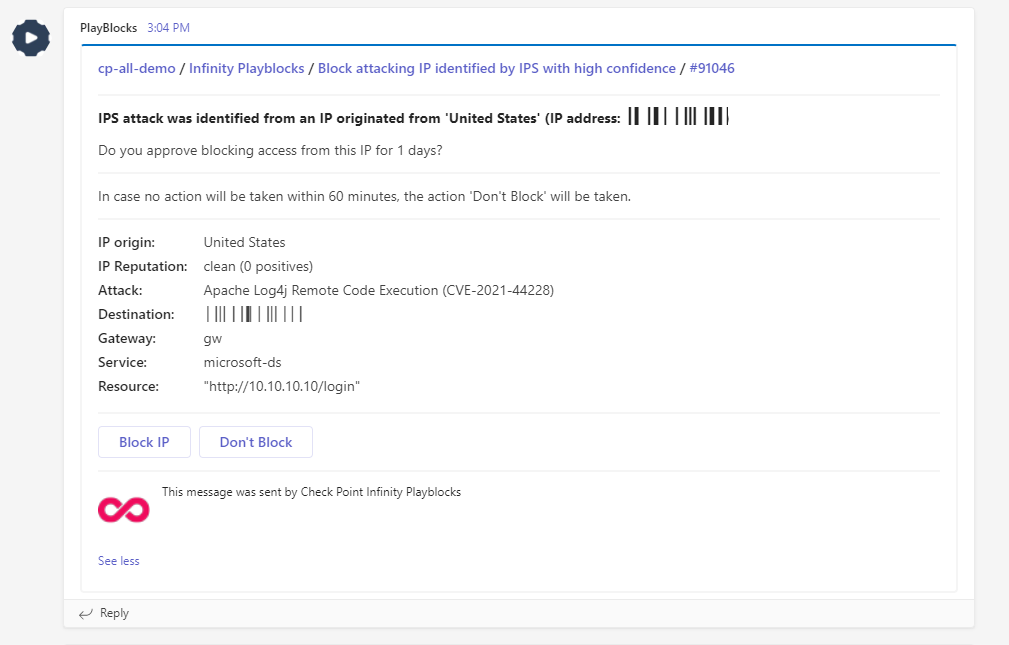
  5. The Administrator reviews the notification and takes the required action: