
Threat Hunting
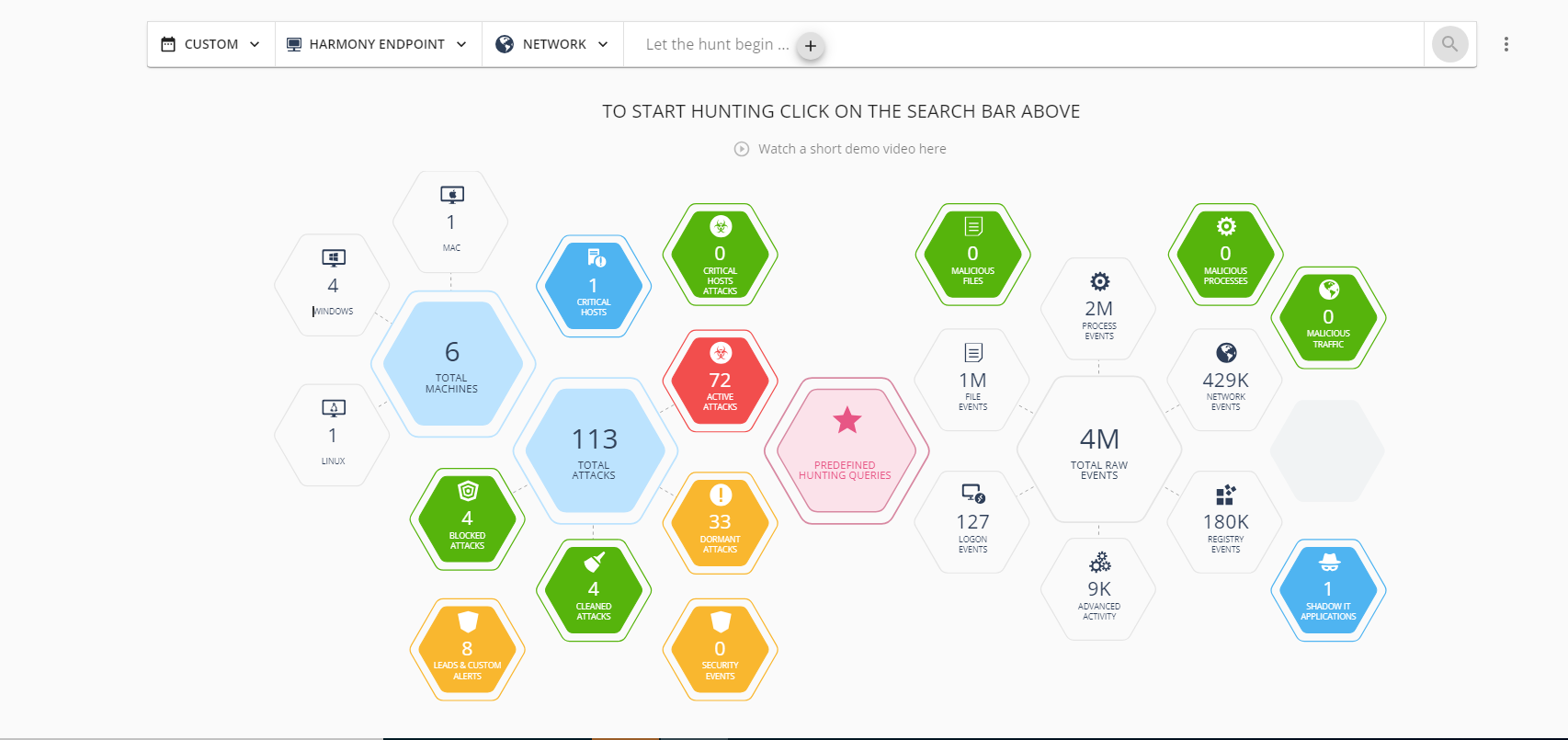
Threat Hunting is an investigative tool which allows for advanced querying on all malicious and benign forensics events collected from the organization's endpoints with Check Point Endpoint Security installed.
Prerequisites
Before Threat Hunting is enabled, confirm that:
The management and client versions meet the minimum supported versions (see Supported Versions).
The tenant resides in a supported region (see Supported Regions).
These blades are active: Forensics, Behavioral Guard, and Anti-Ransomware.
Supported Regions
Threat Hunting is supported only for the Check Point Portal tenants (accounts) residing in these regions:
-
Australia
-
EU
-
India
-
United Kingdom
-
United Arab Emirates
-
US
-
Canada
Supported Versions
-
Endpoint Security Client version:
Recommended version - E84.40 and higher.
Minimum supported version - E84.10.
-
Management version:
-
Cloud-only, web management.
-
Enabling Threat Hunting
-
Go to Policy > Policy Capabilities.
-
Click the Analysis & Remediation tab.
-
From the Enable Threat Hunting list, select On.
-
Click Save & Install.
-
After the policy is pushed to the agents, wait a few minutes until data is sent by the agents.
Then you can go to the Threat Hunting view to start searching through events.