Supported Workflow Actions
As the protected emails are sent from inside the organization to external parties, the threat detection for outgoing emails do not support all the workflows as specified for the incoming emails.
It does not support these workflows:
-
Delivering the email to the recipient's Junk folder (Email is allowed. Deliver to Junk folder)
-
Delivering the email with a warning banner (User receives the email with a warning)
-
Delivering the email with a prefix added to the subject (Add [Spam] to subject)
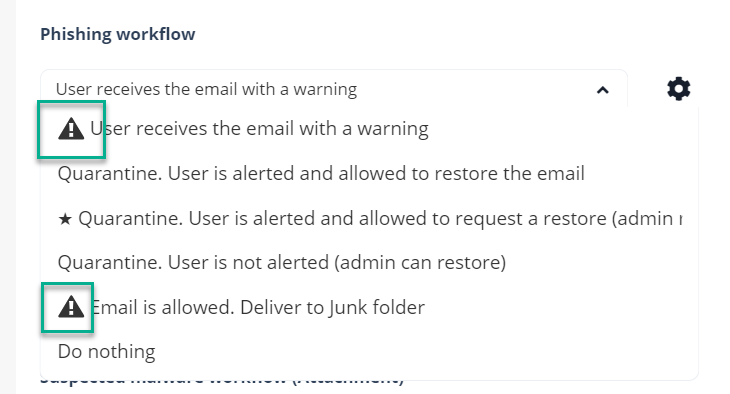
All the workflow actions that are not supported for outgoing emails are marked with a warning symbol.
|
|
Notes:
|