Jump to main content
Avanan Administration Guide

Viewing Cleaned Files for Office 365 OneDrive and Office 365 SharePoint
To view Office 365 OneDrive or Office 365 SharePoint files that are cleaned by Avanan:
-
Go to Analytics > Custom Queries.
-
Click Create New Query at the to right corner.
-
In the Select Template for New Query page that appears, select Office 365 OneDrive or Office 365 SharePoint, then click All Files.
-
In the All Files page that appears, click Add Filters in the left top corner.
-
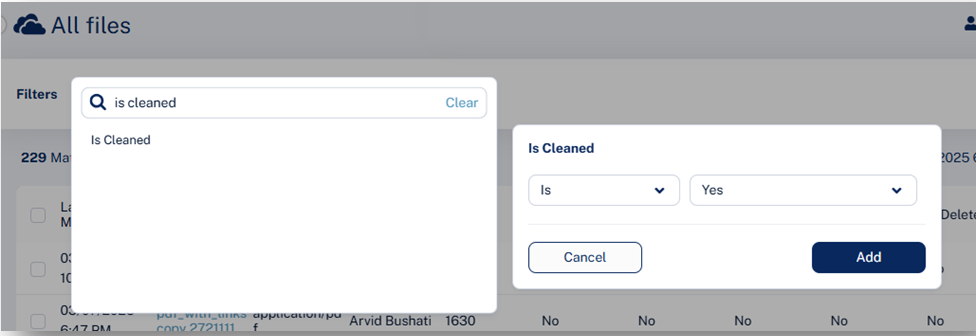
Select Is Cleaned is Yes, and click Add.