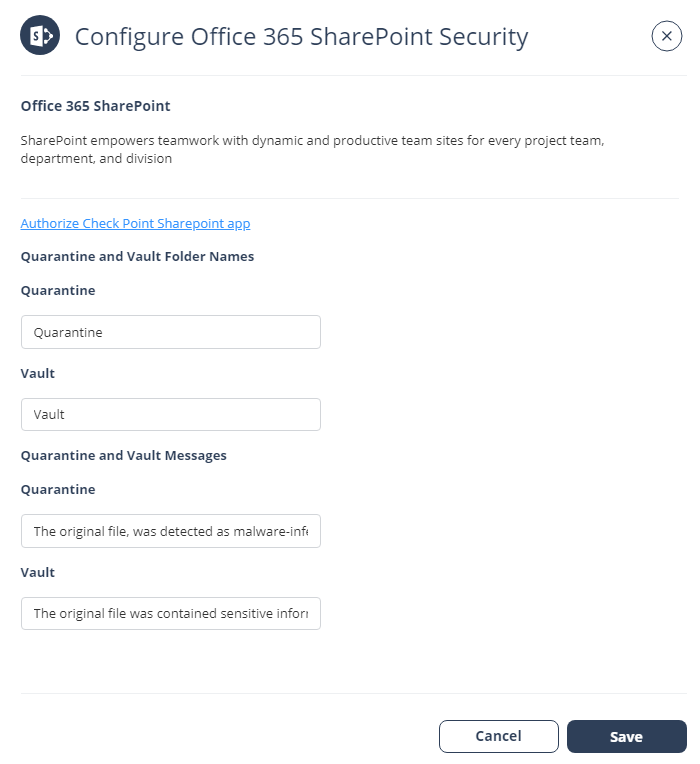
Office 365 SharePoint Security Settings
Customizing Quarantine and Vault
Administrators can customize the quarantine and vault folders (folder names, quarantine/vault messages, etc.).
Quarantine folder
The quarantine folder is used to quarantine malware-infected files from SharePoint. The infected files of all the users will be quarantined to a single predefined quarantine folder.
-
The quarantine folder gets created with the configured name on the root directory of the root site of the organization. End users will not have access to this folder.
-
Only Microsoft stores these quarantined files.
Vault folder
A vault folder is used to remediate DLP detections related to SharePoint files. It is a non-shared folder that is created for every SharePoint user.
If a file contains sensitive information that does not comply with your organization's data-sharing policies, it is removed and placed in the vault folder.
Vault folder is created with the configured folder name in the root directory of each user's drive. The user can access the file from the vault but cannot share it with others.
-
Click Save.