Enabling the End-User Quarantine Digest

To enable the End-User Quarantine Report (Digest):

  1. Access the AvananAdministrator Portal.
  2. From the left navigation panel, go to Security Settings > User Interaction > Quarantine.
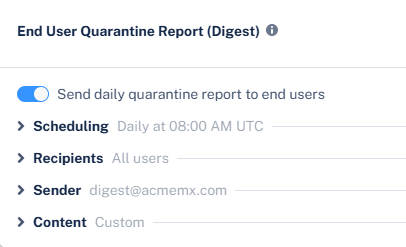
  3. In the End User Quarantine Report (Digest) section, enable the Send daily quarantine report to end users toggle.
  4. (Optional) If you want end users to receive only a single periodic summary of all quarantined emails instead of individual notifications for each quarantined email, you can disable individual quarantine notifications. To do that:
    1. Go to Security Settings > User Interaction > Quarantine.
    2. In the End User Notifications section, enable the required option:
      • Office 365 Users - Stop alerts on individual quarantined emails

      • Google Users - Stop alerts on individual quarantined emails

    Note:

    Even if a policy is configured to notify users, enabling the Stop alerts on individual quarantined emails option prevents immediate notifications when an email is quarantined and ensures users only receive the daily quarantine digest.

  5. Click Save and Apply.