
Viewing Replaced Links and User Clicks
-
From the Email Profile page
-
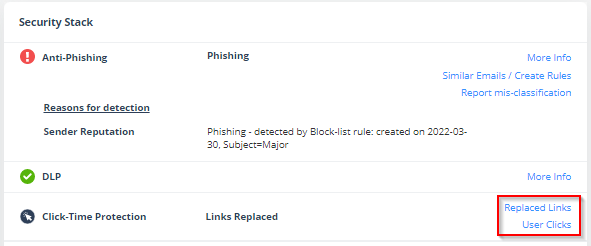
Under Security Stack, for Click-Time Protection, administrators can view:
-
Replaced Links - All the links replaced by Click-Time Protection engine in the email body and its attachments
-
User Clicks - All the clicks performed by users (for clean and malicious websites)
-
-
Under Email Attachments, attachments with replaced links will be marked with a small icon.
-
-
From the Attachment Info page, under Security Stack, administrators can see all the Replaced Links in the attachment.
The list of User Clicks on links inside the attachments and in the email body is available only on the Email Profile page and not on the Attachment info page.