
Hiding Original URL Full Path
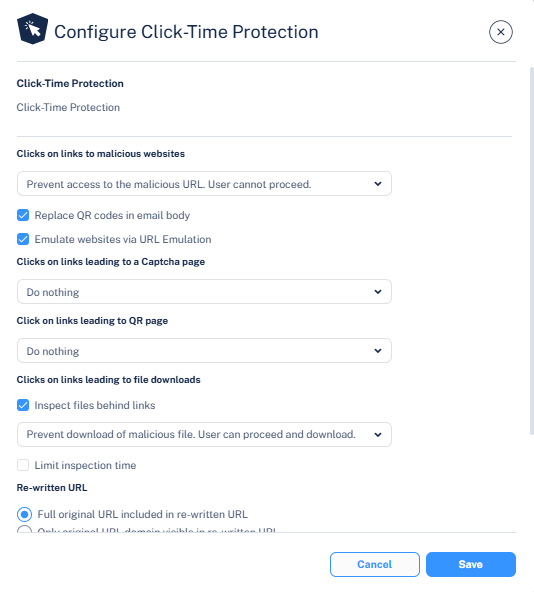
By default, the rewritten URL includes the full path of the original URL, improving readability and predictability for end users. However, if administrators do not want to show the full path, they can configure the Click-Time Protection security engine to rewrite the URL to include only the domain of the original link, obfuscating the remaining path.
-
Click Configure for Click-Time Protection.
Note:
Obfuscating the original URL is only supported when the version of the re-written link is v2.