
Threat Extraction Exceptions
Threat Extraction (Attachment/File Cleaning) is a Content Disarm and Reconstruction (CDR) engine that serves as an additional layer of security for email attachments on top of the Anti-Malware engine. It supports defining Allow-Lists by Sender and File Hash.
Viewing Threat Extraction
To view the Threat Extraction Allow-List rules:
-
Access the Avanan Administrator Portal.
-
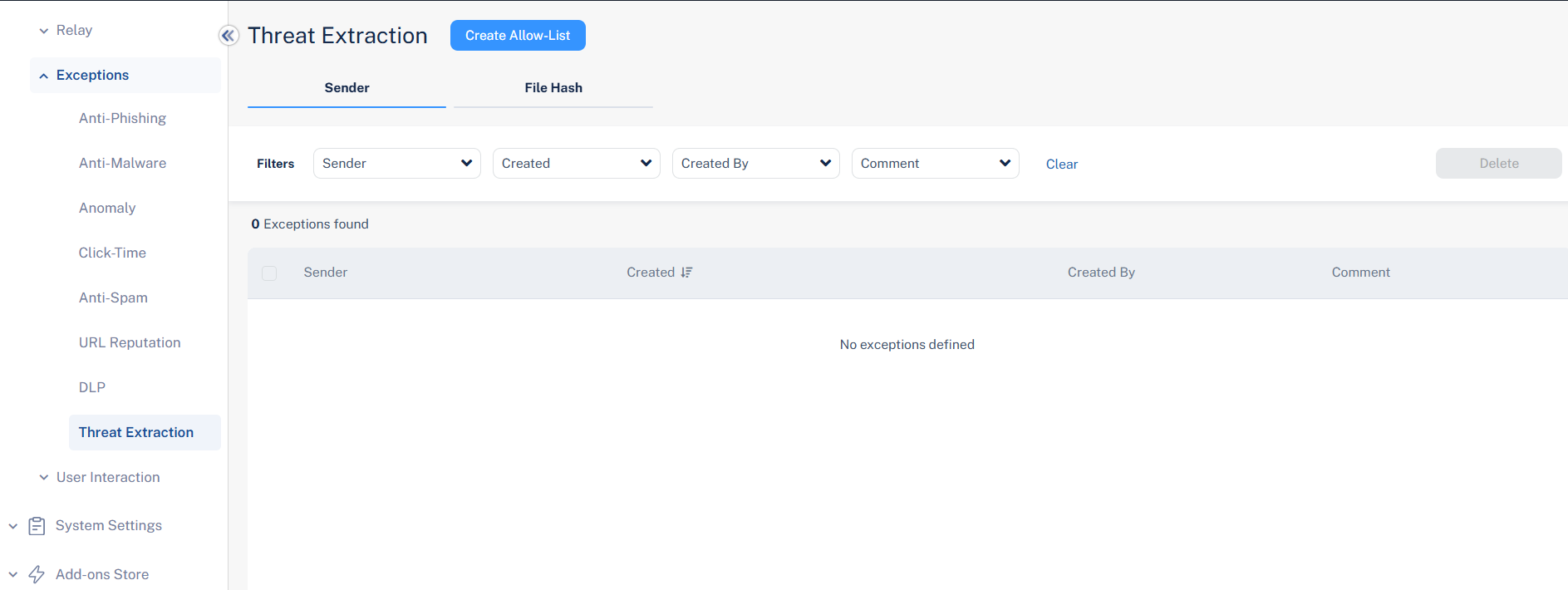
From the left navigation panel, go to Security Settings > Exceptions > Threat Extraction.
The Threat Extraction page displays all the exceptions and the defined criteria.
Adding a Threat Extraction Allow-List Exception
-
Click Security Settings > Exceptions > Threat Extraction.
-
Click Create Allow-List.
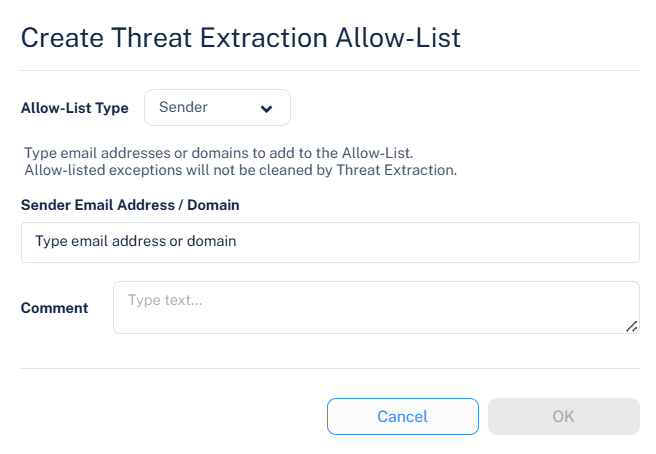
The Create Threat Extraction Allow-List pop-up appears.
-
From the Allow-List Type dropdown, select the required option.
Sender
File Hash
-
Enter the required sender/recipient's email address or domain/file MD5.
Sender Address / Domain - Attachments in emails from these senders or domains are not cleaned before delivery to end users.
File Hash - Attachments that match the allow-listed file hashes are not cleaned before delivery to end users.
Note:Attachments allow-listed here still undergo sandbox inspection. However, they are just not cleaned (CDR) before delivery to end users.
-
In the Comment field, enter a comment for the allow-list rule.
-
Click OK.
Deleting a Threat Extraction Allow-List Exceptions
-
Click Security Settings > Exceptions > Threat Extraction.
-
Select the exception(s) you want to delete (Sender or File Hash).
-
Click Delete from the top-right corner.
-
In the confirmation pop-up that appears, click OK.