
Step 4: Add Groups
You must create two groups.
-
avanan_inline_outgoing_policy
-
avanan_monitor_outgoing_policy
If you use GCDS (Google Cloud Directory Sync) to synchronize your user groups on-premises and in the cloud, the synchronization triggers the deletion of these Avanan groups. Though this will not impact the email delivery, Avanan cannot scan the emails, and no security events get generated.
Before activating Google Workspace, you must create exclusion rules for these user groups. Select the exclusion type as Group Email Address, match type as Exact Match, and the group email address should be in the groupname@[domain] format.
For example, the group email addresses should be and avanan_inline_outgoing_policy@mycompany.com and avanan_monitor_outgoing_policy@mycompany.com, where mycompany is the name of your company.
-
In Group name field, enter the group name. For example, avanan_inline_outgoing_policy.
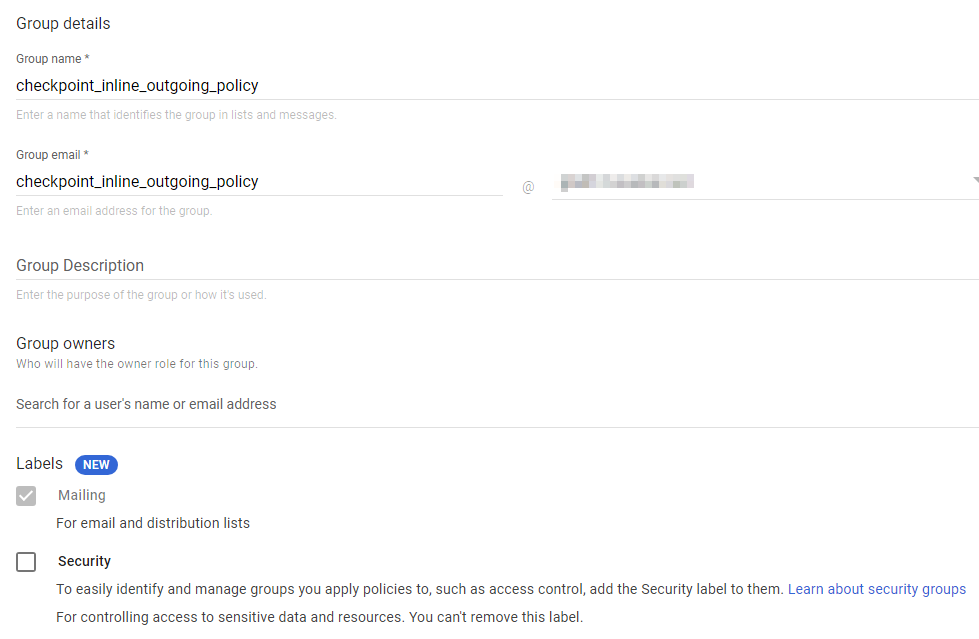
-
In Access Settings, clear everything except the default settings.
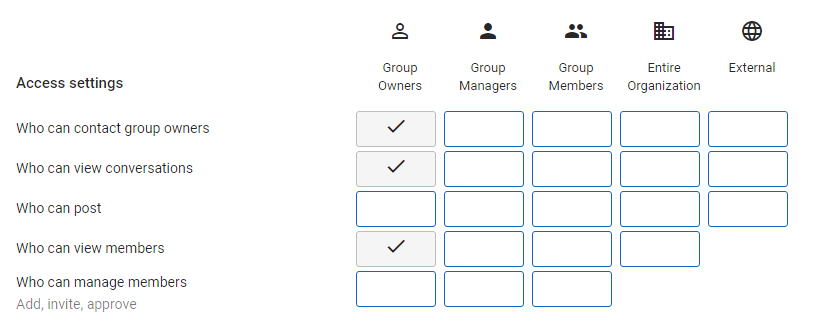
After creating the groups, you must do these to the avanan_monitor_outgoing_policy group.
-
From the left navigation panel, click Directory > Groups.
-
Hover over the avanan_monitor_outgoing_policy group you created and click Add members.
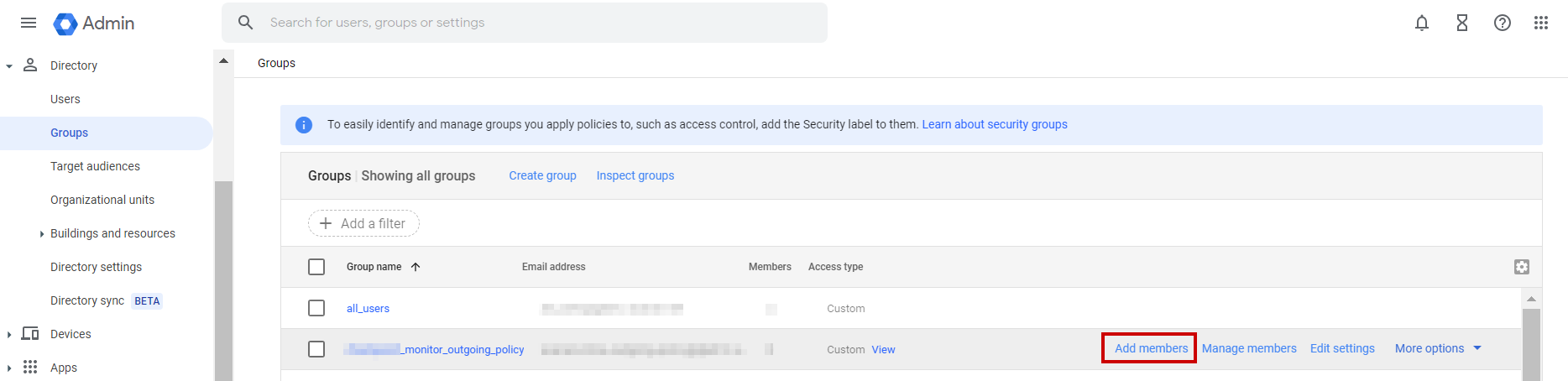
-
Click Advanced and select the Add all current and future users of {domain} to this group with All Email setting checkbox.
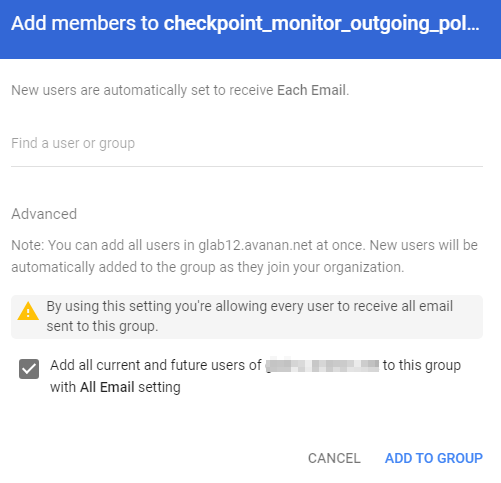
-
Click Add to Group.