Jump to main content
Avanan Administration Guide
Index
Avanan Administration Guide
Check Point Support
  1. Home
  2. Appendix
  3. Appendix C: Manual Steps for Enabling Gmail Prevent (Inline) DLP Policy
  • Important Information
  • Introduction to Avanan
  • Getting Started
  • Migrating from an Avanan Portal to a Check Point Portal
  • Configuring Security Engines
  • Email Protection
  • Messaging Apps Protection
  • File Storage Protection
  • Compromised Account (Anomaly) Detection
  • Partner Risk Assessment (Compromised Partners)
  • Cloud SMTP Relay
  • Managing Security Exceptions
  • Managing Security Events
  • Managing Quarantine
  • Customization
  • SmartConfig Recommendations
  • Incident Response as a Service (IRaaS)
  • DMARC Management
  • Leaked Credentials
  • Security Awareness Training
  • User Management
  • Configuration SAML
  • Multi-Factor Authentication using Google Authenticator
  • Video Tutorials
  • Appendix
    • Appendix A: Avanan Manual Integration with Office 365 Mail
    • Appendix B: Avanan Manual Integration with Google Gmail
    • Appendix C: Manual Steps for Enabling Gmail Prevent (Inline) DLP Policy
      • Step 1: Adding a Host
      • Step 2: Updating Inbound Gateway
      • Step 3: Adding SMTP Relay Host
      • Step 4: Add Groups
      • Step 5: Create a Compliance Rule
      • IP Addresses Supported by Region for Gmail Prevent (Inline) Policy
    • Appendix E: DLP Built-in Data Types and Categories
    • Appendix F: Supported Languages for Anti-Phishing
    • Appendix G: Data Retention Policy
    • Appendix H: Activating Office 365 Mail in Hybrid Environments
    • Appendix I: Permitted IP Addresses to access the Avanan Azure Application
    • Appendix J: Supported File Types for DLP
    • Appendix K: Troubleshooting
    • Appendix L: Outlook Add-In
    • Appendix M: Configuring Postfix as an Internal SMTP Relay for Non‐TLS Senders to Avanan Cloud SMTP Relay

Appendix C: Manual Steps for Enabling Gmail Prevent (Inline) DLP Policy

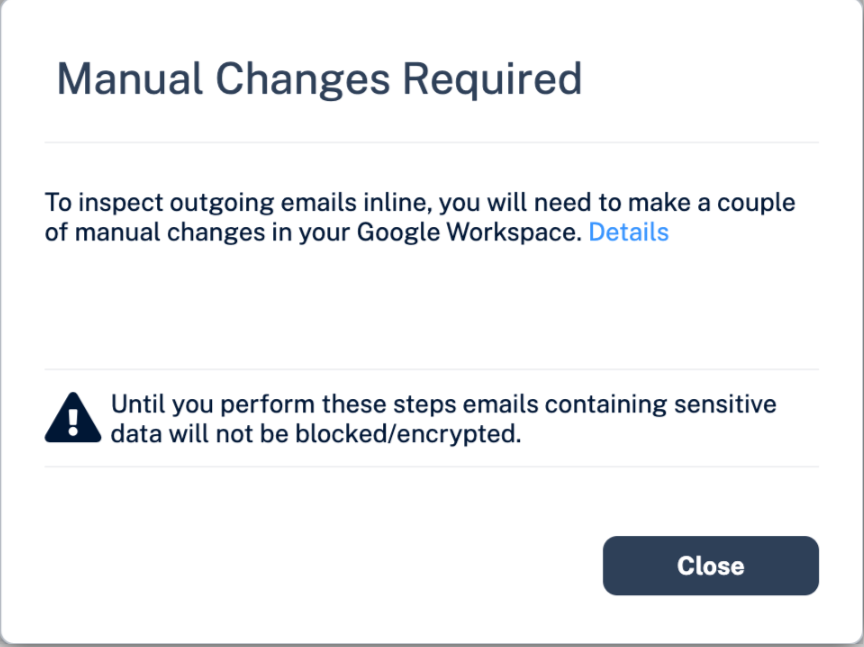
If you receive the Manual Changes Required message while creating a Prevent (Inline) DLP policy for Gmail, you must make these changes in the Google Admin Console.
  • Step 1: Adding a Host
  • Step 2: Updating Inbound Gateway
  • Step 3: Adding SMTP Relay Host
  • Step 4: Add Groups
  • Step 5: Create a Compliance Rule
Generated by <oXygen/> XML WebHelp - Evaluation Version
21 July 2026
© 2024 - 2026 Check Point Software Technologies Ltd.