
Customizing the Text of the Quarantine Digest
-
In the Email subject and body section, configure the subject and the body of the daily quarantine digest email.
In the Subject field, enter the email subject for the daily quarantine digest email notification.
In the Body field, enter the required information in the email notification.
To add links to the email footer:
Place the cursor where you want to add the link.
-
Click the
 icon.
icon.or
Right-click and select
Link. -
In the URL field, enter the URL.
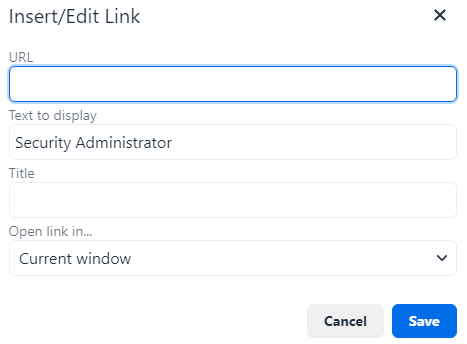
In the Text to display field, enter the text that should appear for the link.
If required, enter a Title for the link.
In the Open link in list, select Current window or New window.
Click Save.