Jump to main content
R81.20 Endpoint Security Web Management Administration Guide

Advanced Settings for Persistent Desktops
-
Disable the Anti-Malware Periodic Scan. See the instructions above.
-
If you cannot disable the Anti-Malware Periodic Scan, then enable the Anti-Malware Randomized Scan.
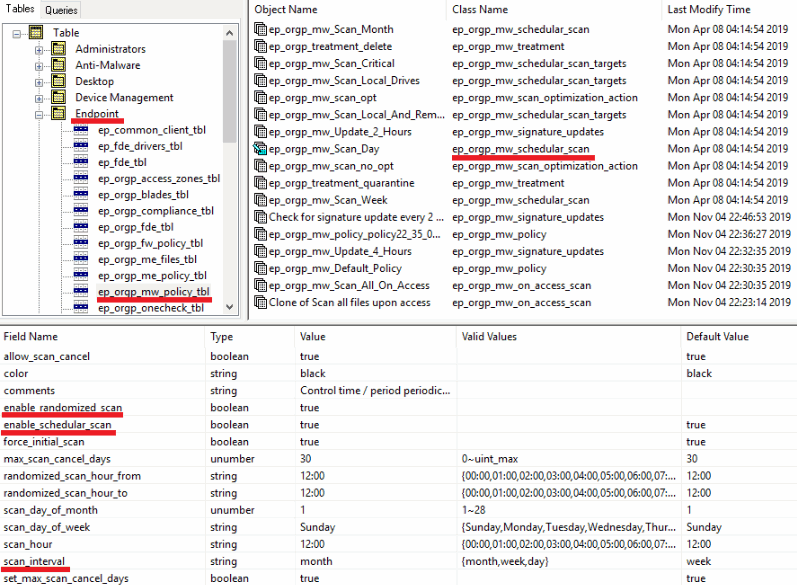
- Connect with the Database Tool (GuiDBEdit Tool) (sk13009) to the Endpoint Security Management Server.
- Configure the value
true for the attribute enable_randomized_scan.
- Configure the value
true for the attribute enable_schedular_scan.
- Configure the applicable value for the attribute
scan_interval.
-
In SmartEndpoint, install policy.
