
Getting Started with Spark Management
Watch the Video
To get started, follow these steps:
 Step 1 - Access the Check Point Portal
- Log In:
-
Click here to open the Check Point Portal login page.
-
Enter your credentials and click Log In.
-
If you do not have an account, follow the instructions in the How to Create an Account guide.
-
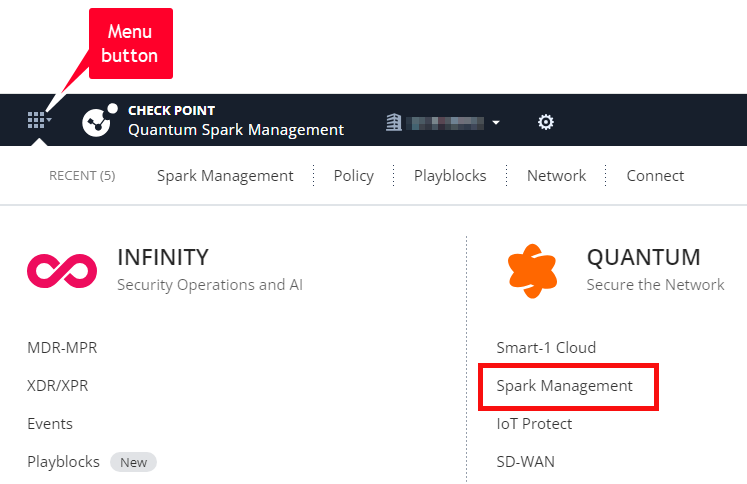
- Navigate to Spark Management:
-
Click the Menu button located in the upper-left corner.
-
In the Quantum Services section, select Spark Management.
-
- Account Setup (for new accounts):
-
Review and accept the Terms of Service.
-
Click Get Started to complete the account setup process.
-
Step 2 - Add a Plan
Configure a plan - a template with settings that apply to multiple Spark Firewall Appliances.
See Adding a New Plan.
Step 3 - Add a Gateway Object
Configure a Gateway object that represents your Spark Firewall Appliance.
See Adding a New Gateway.
Step 4 - Connect a Spark Firewall Appliance
Connect a Spark Firewall Appliance to the Spark Management service.
See Connecting Spark Firewall Appliances to Spark Management.
Step 5 - Monitor the logs and events
View the logs and events from the connected Spark Firewall Appliances.