
Interfaces
Note:
The widgets displayed depend on the asset type and version.
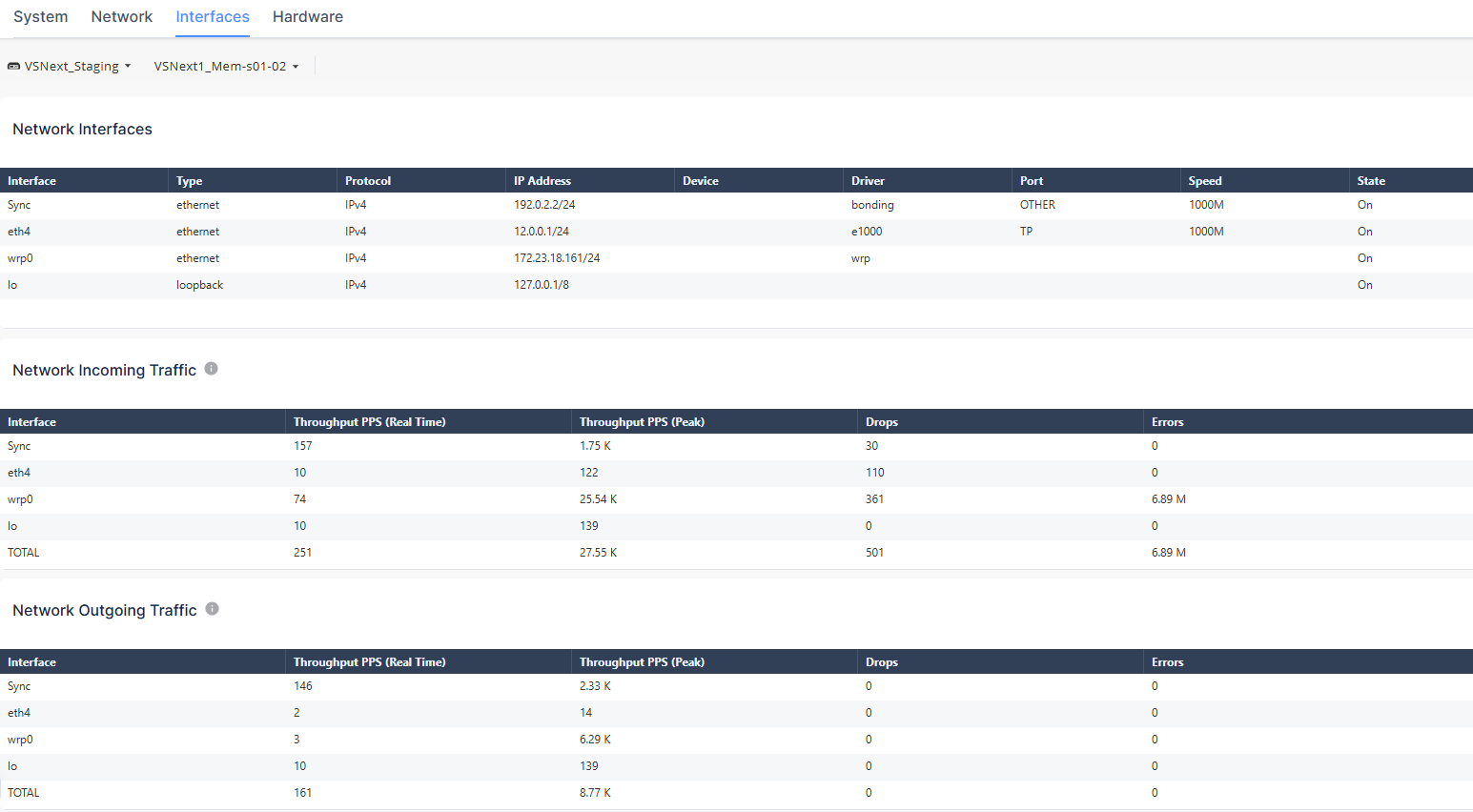
Network Interfaces

The Network Interfaces table shows the IP address and state of the network interfaces.
The different parameters in the table are described below:
| Column Name | Description |
|---|---|
| Interface | Name of the interface. |
| Type | Type of the network interface (ethernet / loopback). |
| Protocol | Network protocol used in the network. |
| IP Address | Asset IP address. |
| Device | Asset name provided by the Operating System. |
| Driver | Version of the network driver. |
| Port | Asset port number. |
| Speed | Network speed. |
| State | Asset network state (On/Off). |
Network Incoming Traffic

The Network Incoming Traffic table shows:
| Column Name | Description |
|---|---|
| Interface | Name of the interface. |
| Throughput PPS (Real Time) | The rate of packets successfully received over the communication channel (in packets per second). |
| Throughput PPS (Peak) | The maximal rate of packets successfully received for the network interface (in packets per second). |
| Drops | The total number of the dropped packets received since boot. |
| Errors | The total number of corrupted packets received since boot. |
Network Outgoing Traffic

The Network Outgoing Traffic table shows:
| Column Name | Description |
|---|---|
| Interface | Name of the interface. |
| Throughput PPS (Real Time) | The rate of packets successfully received over the communication channel (in packets per second). |
| Throughput PPS (Peak) | The maximal rate of packets successfully received for the network interface (in packets per second). |
| Drops | The total number of the dropped packets received since boot. |
| Errors | The total number of corrupted packets received since boot. |