
Forwarding Events to AWS S3
Configuring AWS S3 to Receive Avanan Logs
-
Create a new user.
-
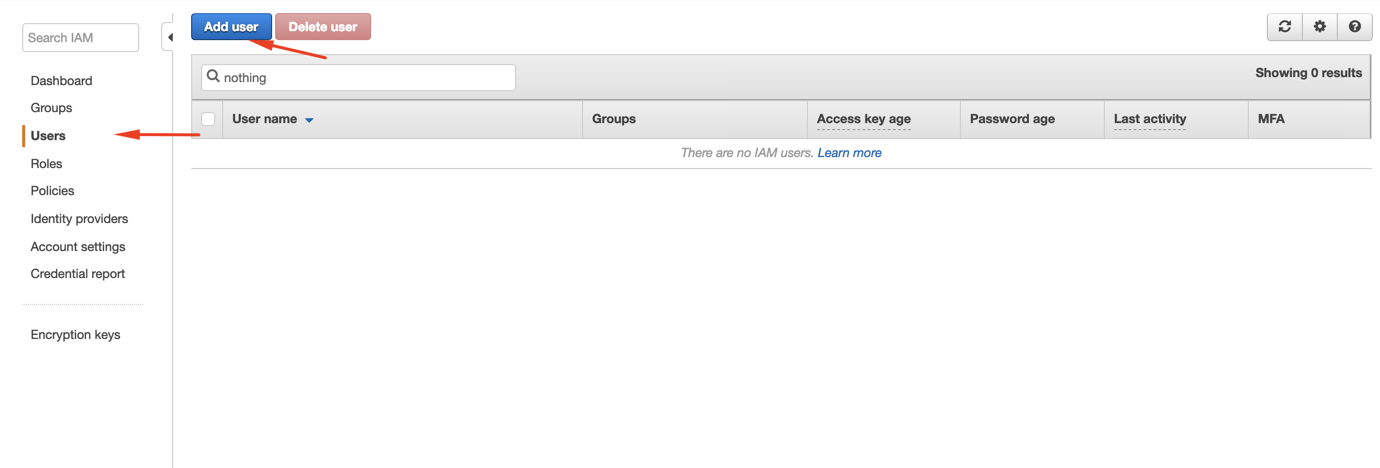
Click Users > Add user.
-
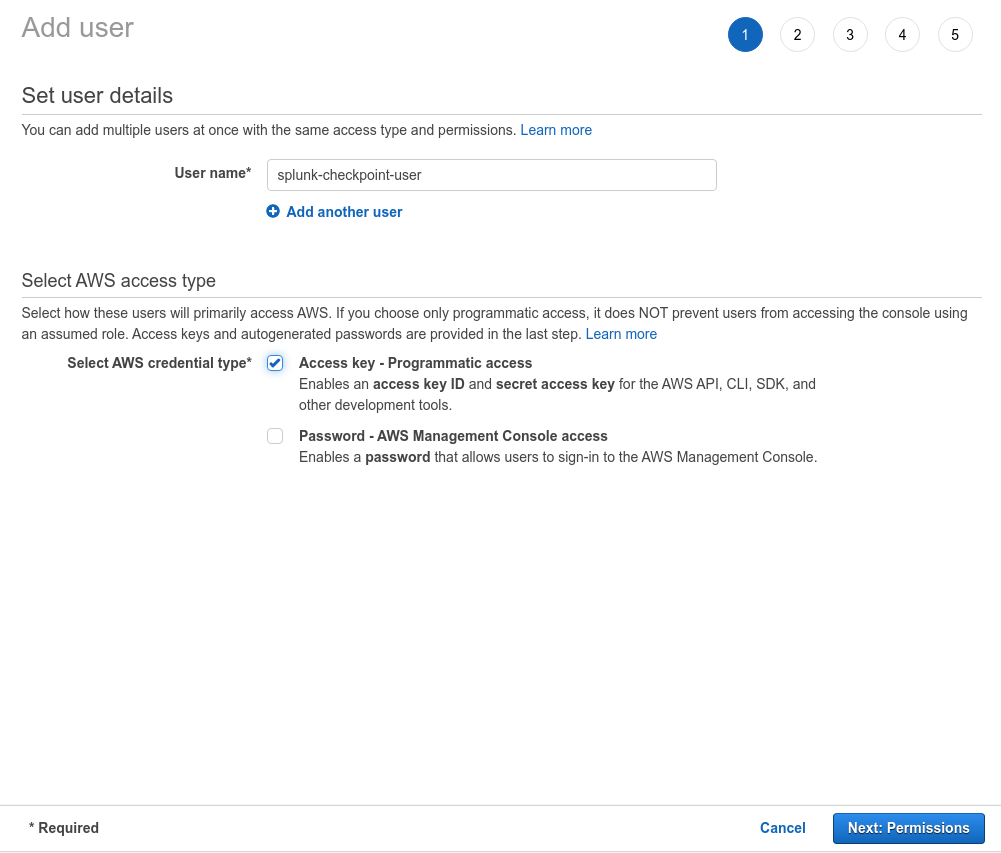
Select a user name, enable Access Type as Programmatic access and click Next: Permissions.
-
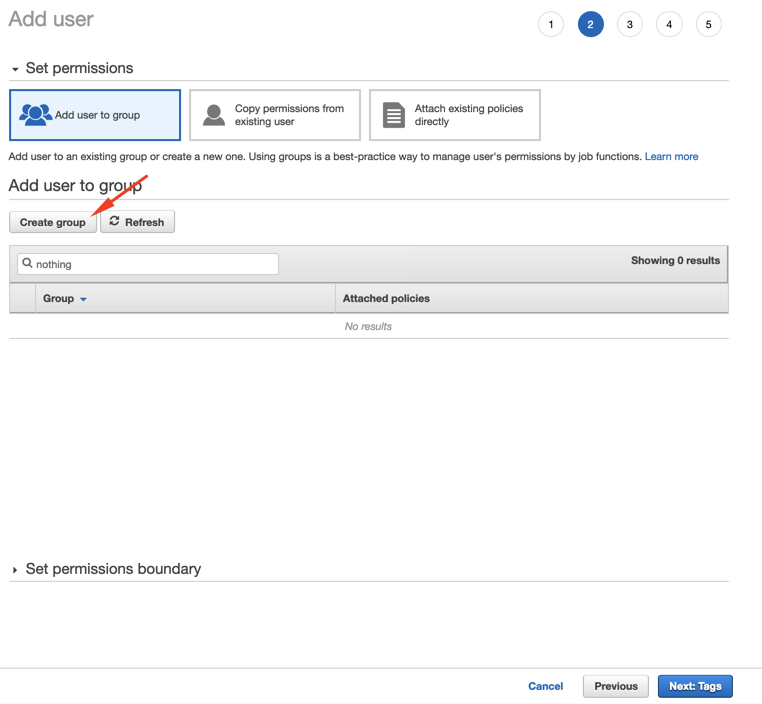
Click Create Group or select the group if already created.
-
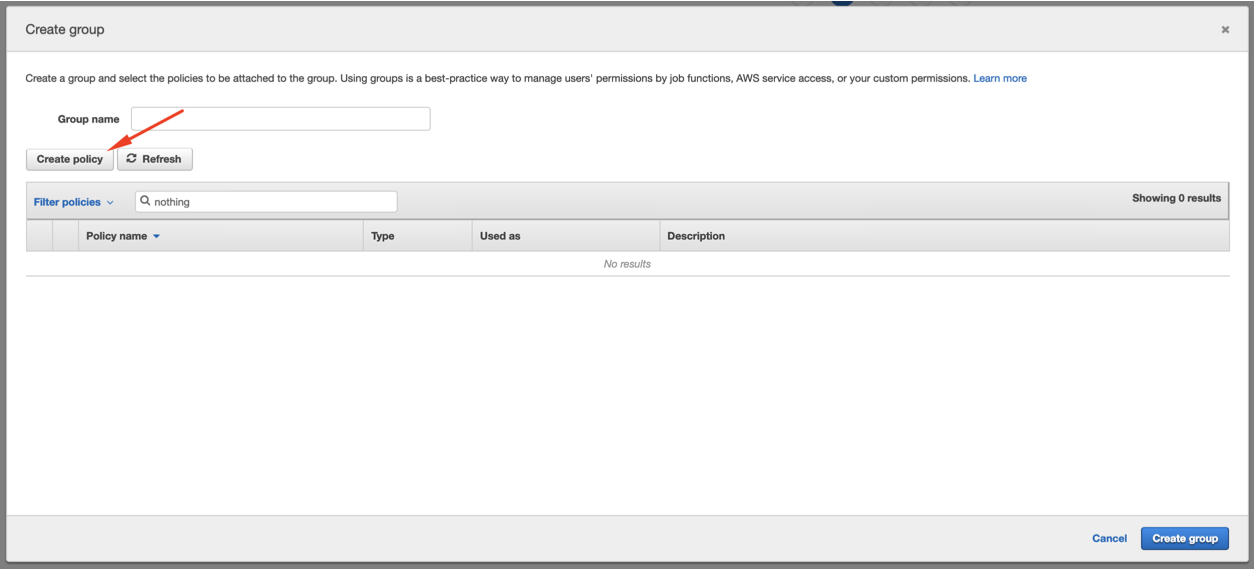
Click Create policy or select the policy if already created.
-
Enter the required name to the policy and click Create policy.
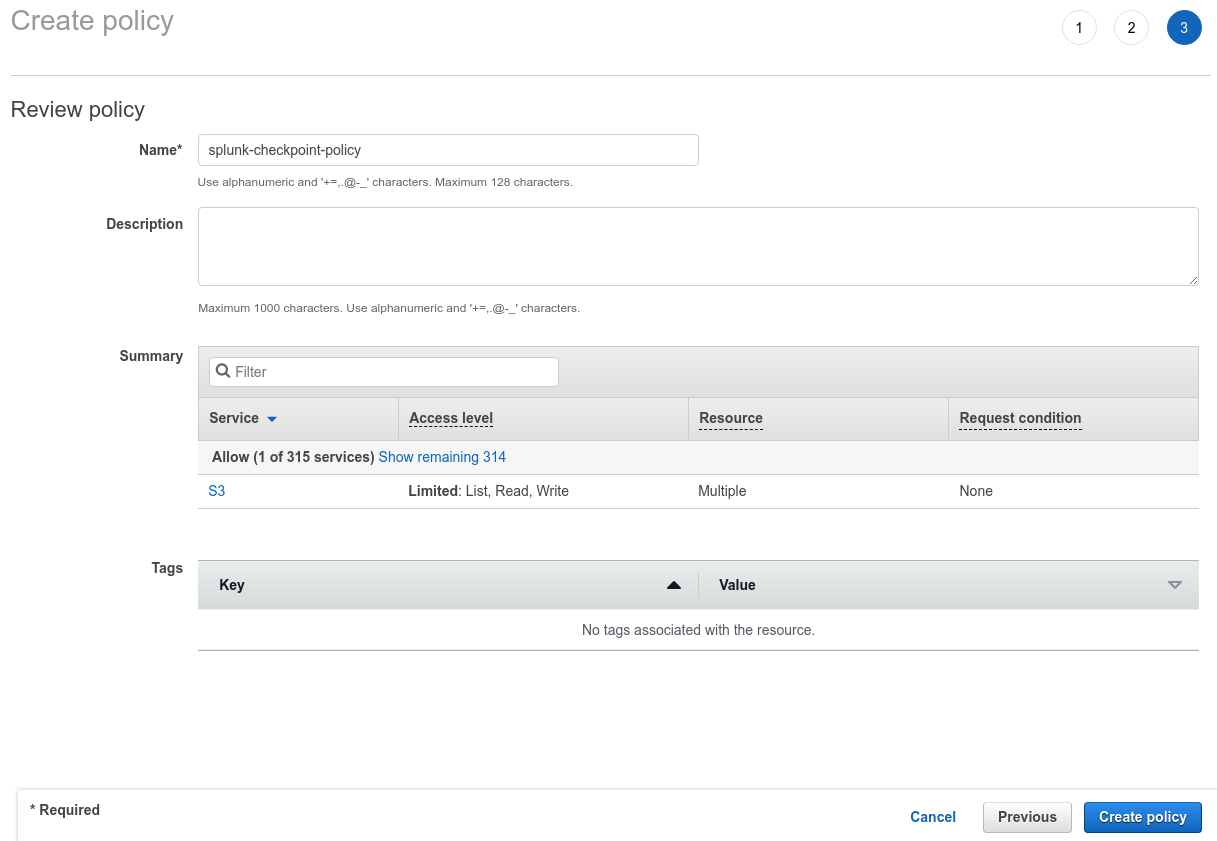
-
On the next screen, select the policy name you created and click Create Policy.
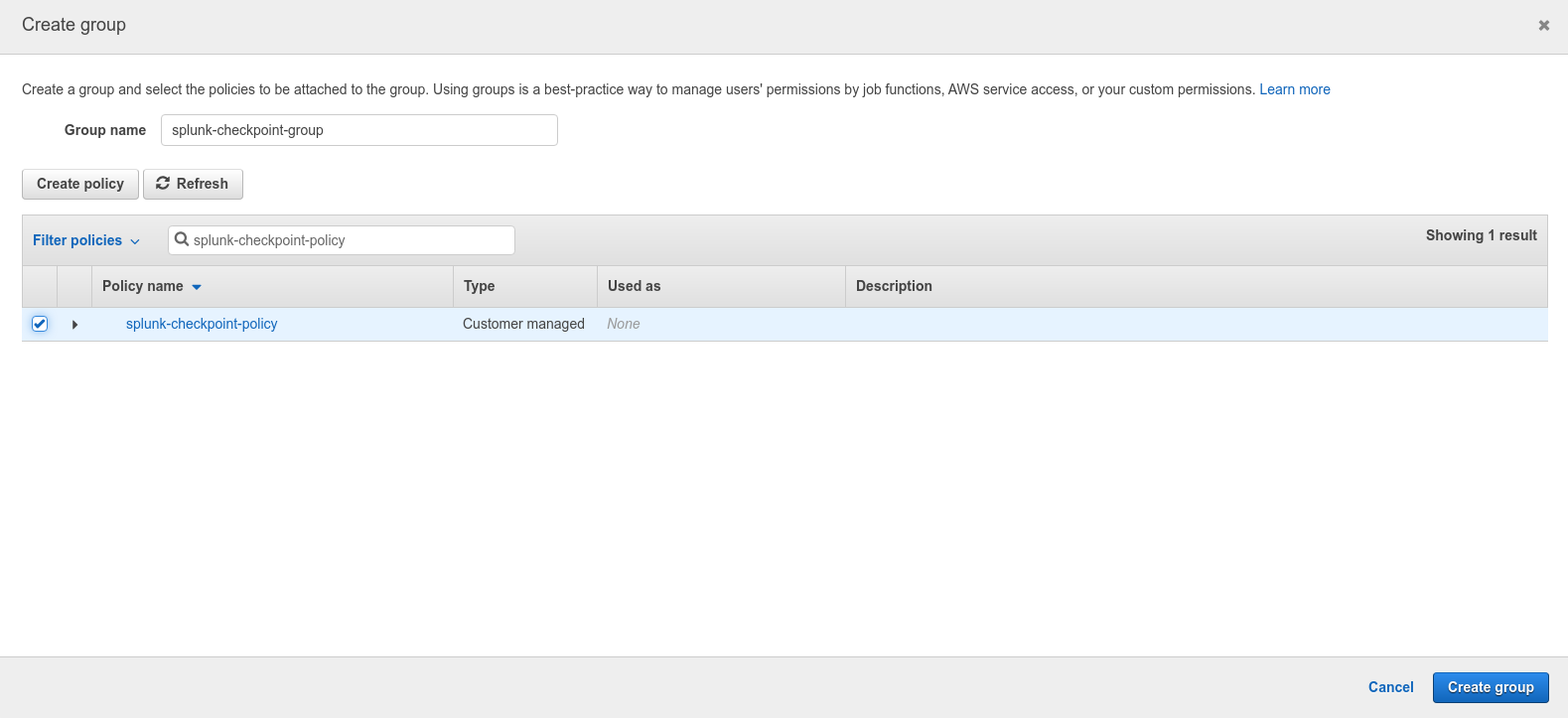
-
Go back to the Add user screen and confirm that the group you created is selected and then click Next: Tags.
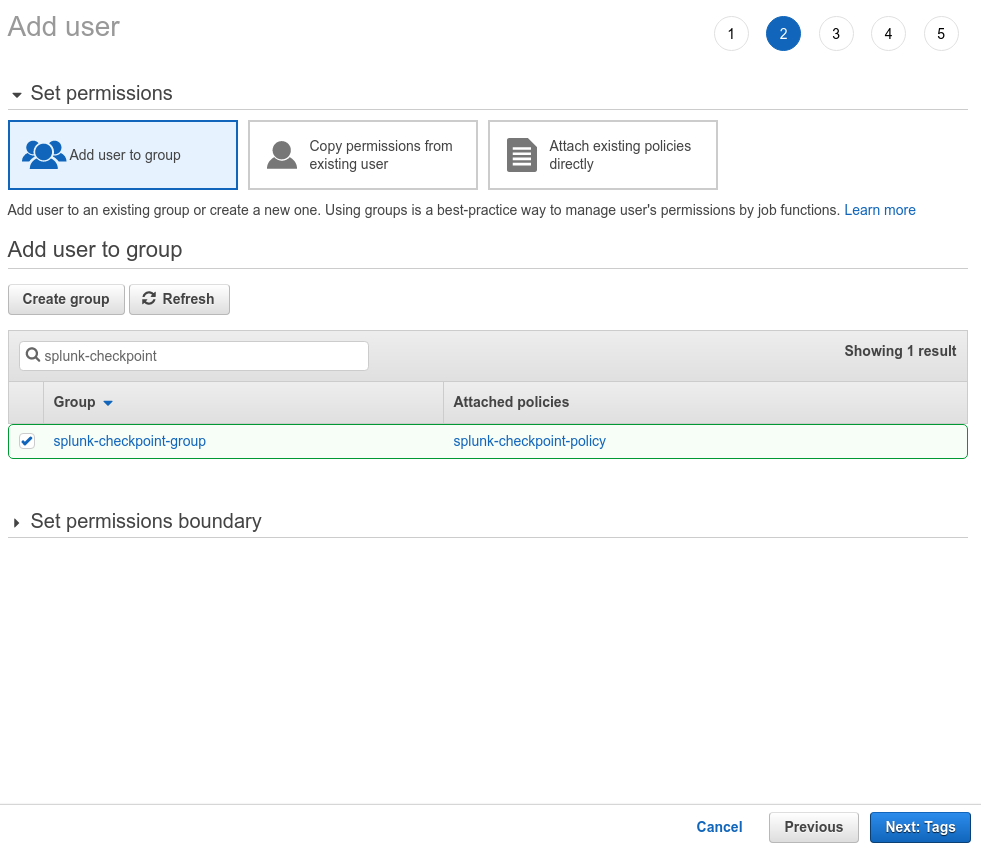
-
Confirm all the configurations and click Create user.
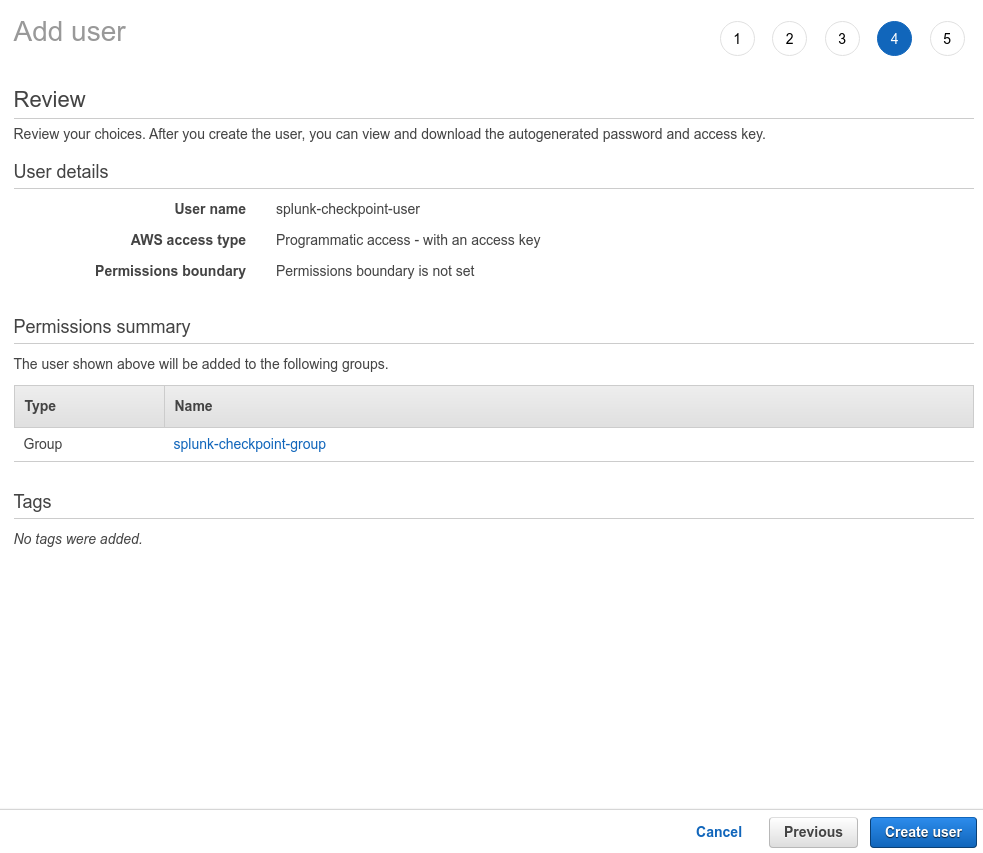 Note:Download the CSV file or copy the Access Key and Secret access key to a safe location. This information won't be available again.
-
Click Users > Add user.
-
Insert the 12 digit number of the user created in step 2 and click Next: Permissions.
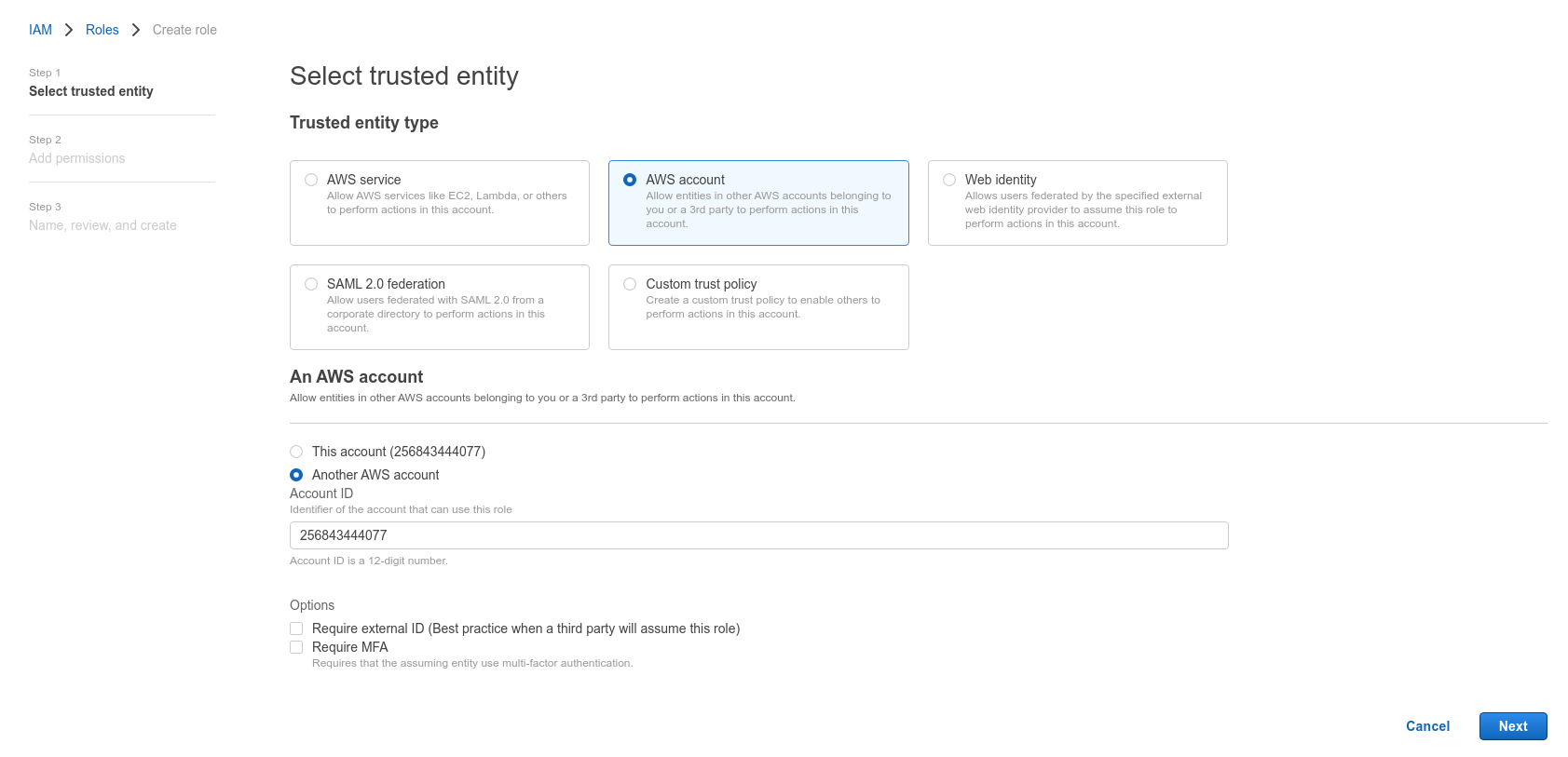 Note:To find the 12 digit number, open the user on another screen.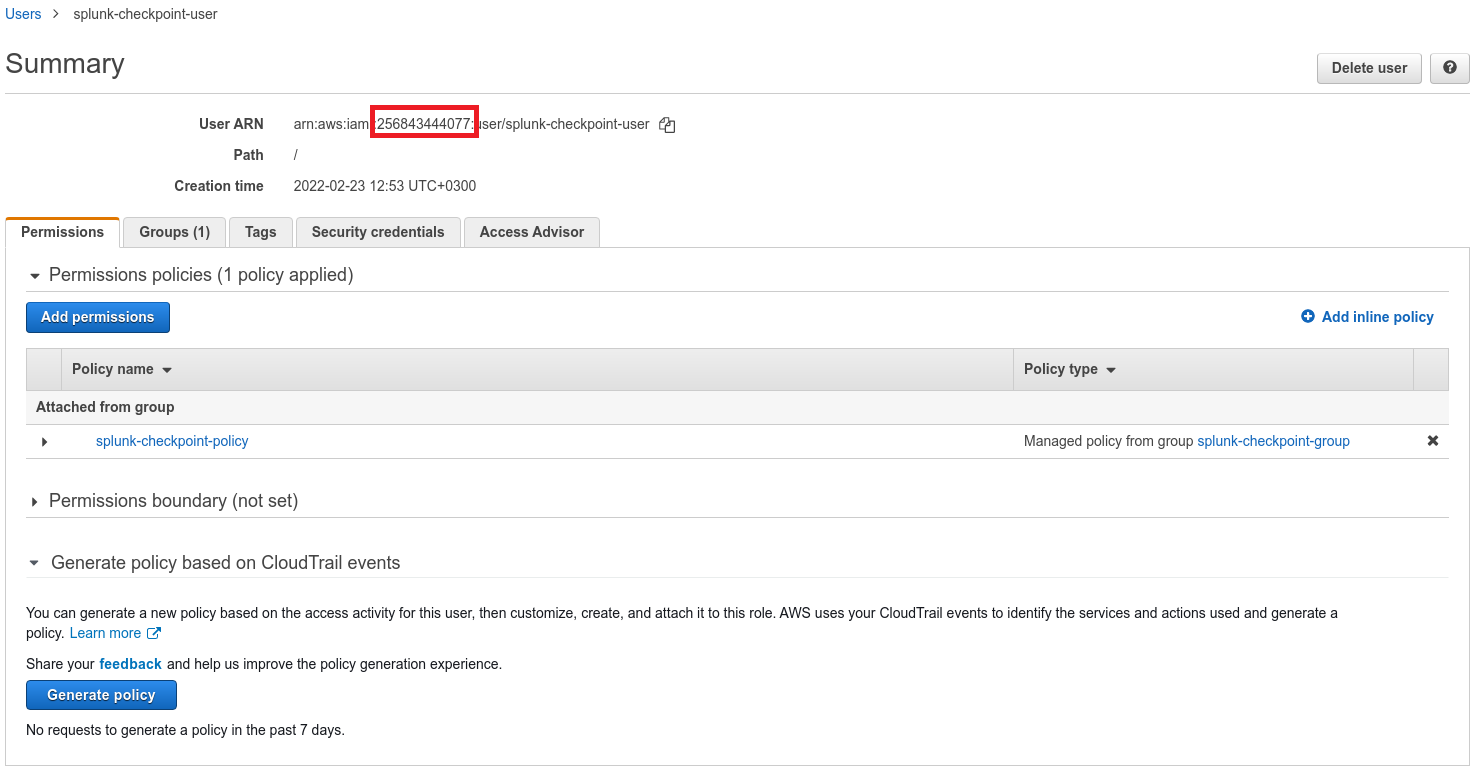
-
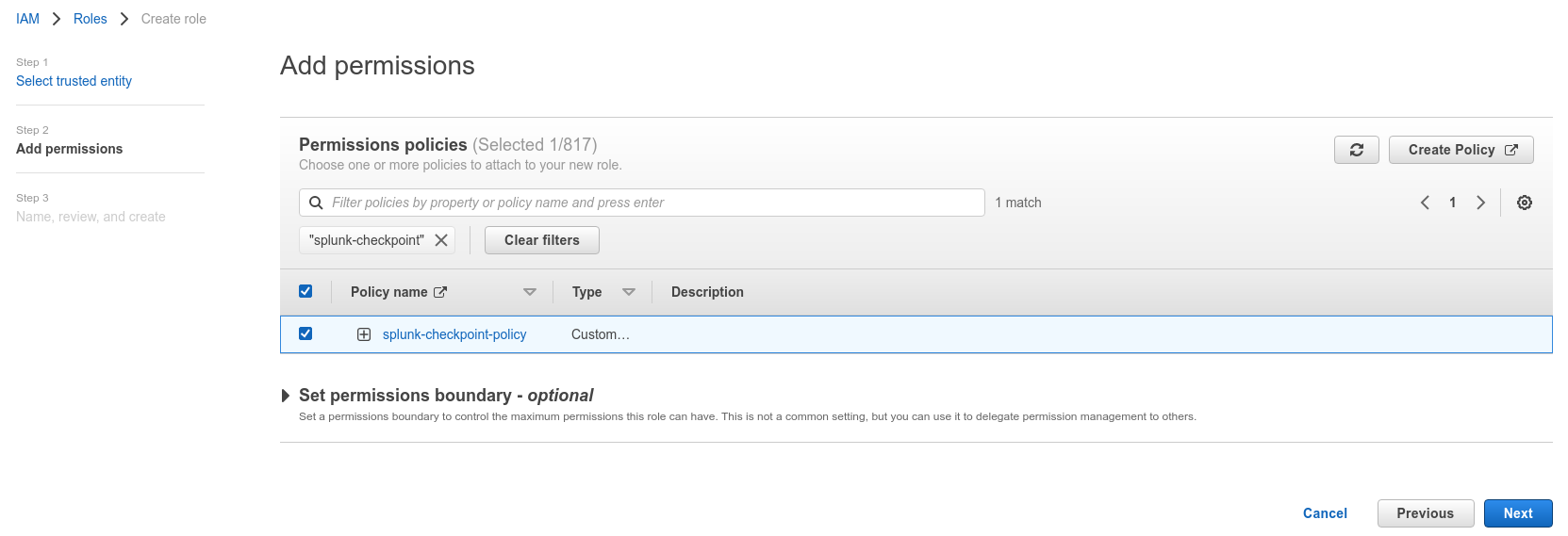
Select the policy created and click Next: Tags.
-
Add the necessary Tags (in accordance with your environment directives), select a role name and click Create Role.

-
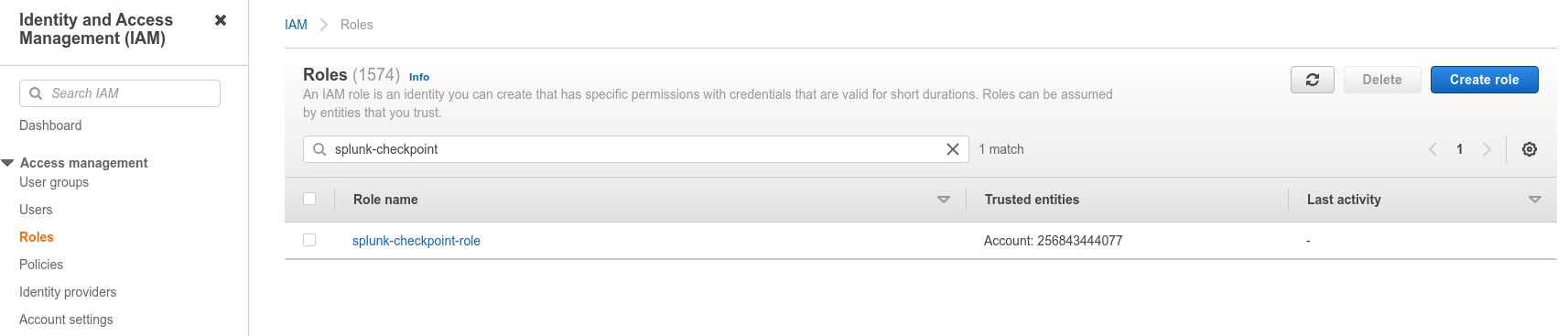
Search for the role you created and click on its name.
-
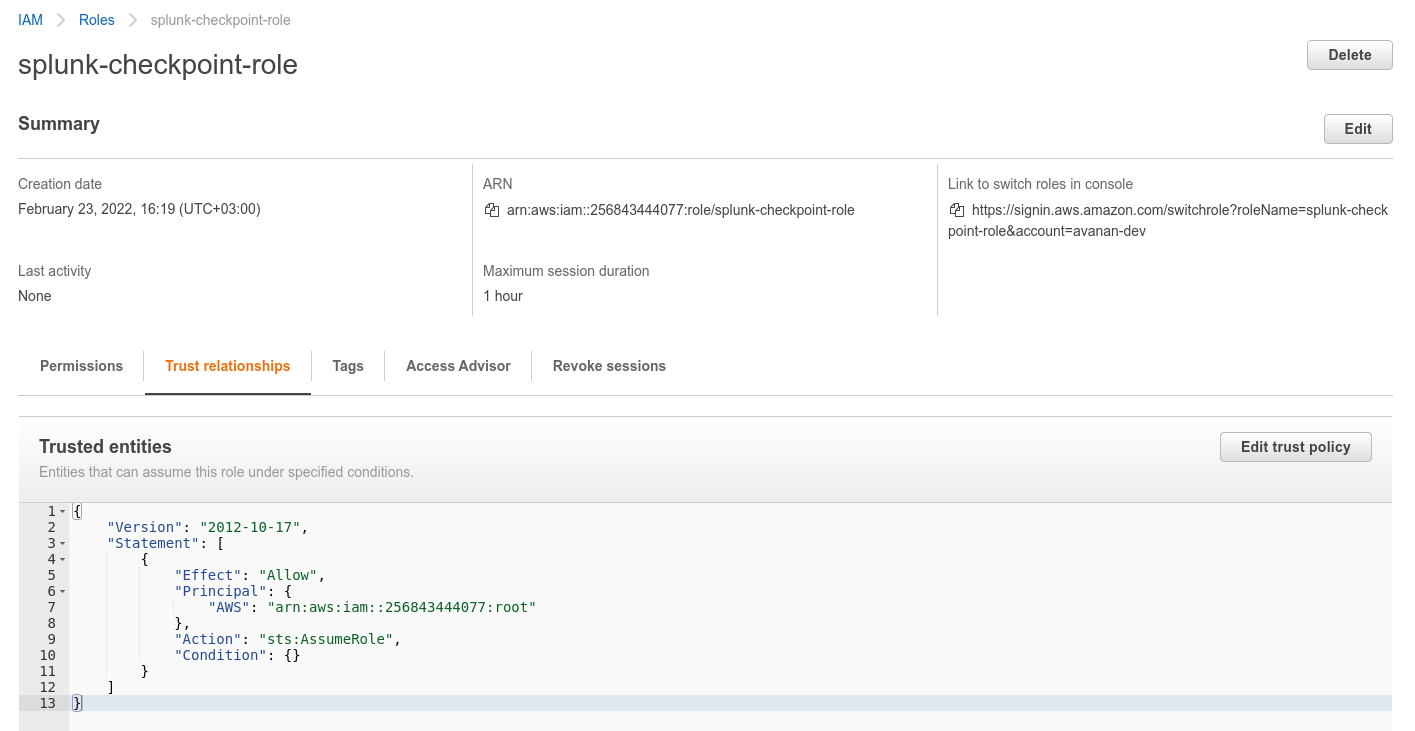
Select Trust relationships and click Edit trust relationship.
-
Copy the Role ARN.
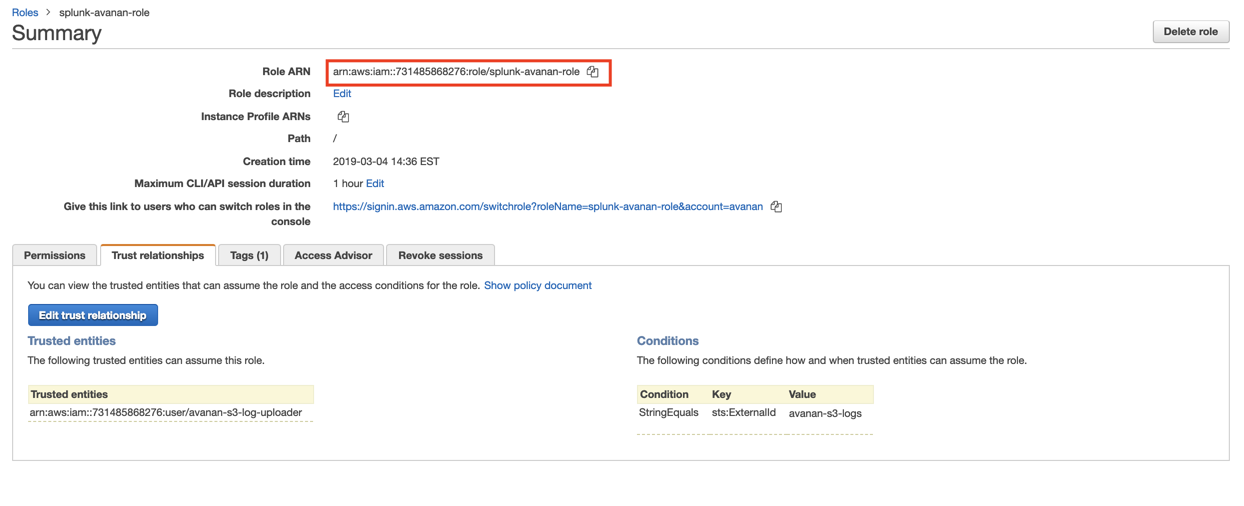 Note:This Role ARN is used while configuring SIEM Integration in the Avanan.