
Reviewing Malware Events
Malware events are triggered by the Anti-Malware engine. It comprises of matching the file against a data base of known malicious files (Anti-Virus) and running it through an advanced sandbox (Threat Emulation).
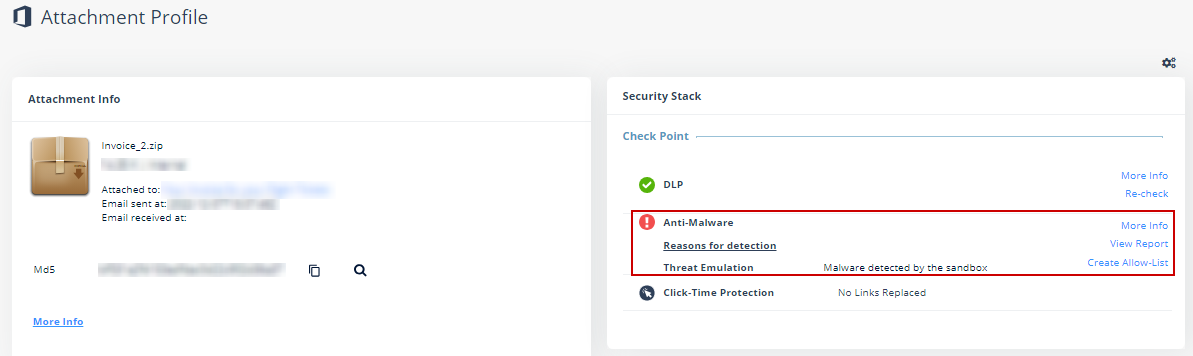
To review the event details, open the attachment profile page for the malicious event. In the Anti-Malware section under Security Stack, you can do these.
-
To view the sandbox report with detailed explanation about why the file was deemed malicious, click View Report.
Note:You have 14 days from the date of detection to request the report, after which it is no longer available.
-
To download the malicious file from the report to your local computer, click Actions > Download File.
 Warning:
You should use the downloaded file with care as the malware can cause significant damage to computers, networks and corporate data.
-
To help you not run the malicious file accidentally on your local computer, the malicious file gets downloaded in the compressed tar.gz format as a password protected file.
-
Use infected_te_report as the password to extract the malicious file.
-
-
-
To view the confidence level of the detection by the sandbox or the signature used by the static engines used to detect the malware, click More Info.

Avanan Administrator Portal does not currently support Attachment preview.