Unblocking Messages
When malicious or sensitive information is detected, Avanan tombstones the messages.
To unblock the message, the user should click What can I do?.
-
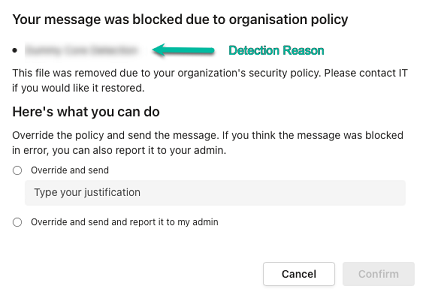
If it is configured to allow unblocking the messages in Microsoft Teams Security Settings, the sender can select one of these.
-
To unblock the message:
Select Override and send.
Enter the justification for sending the message.
Click Confirm.
-
To unblock the message and also report it to the administrator, the sender can select Override and send and report it to my admin and click Confirm.
-
-
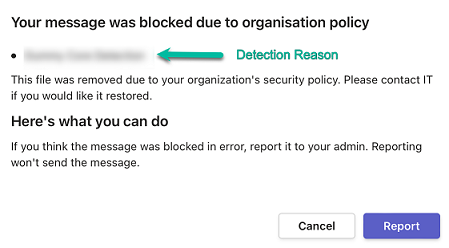
If it is not configured to allow unblocking the messages, the sender will see the following message: