What is the Vault Folder
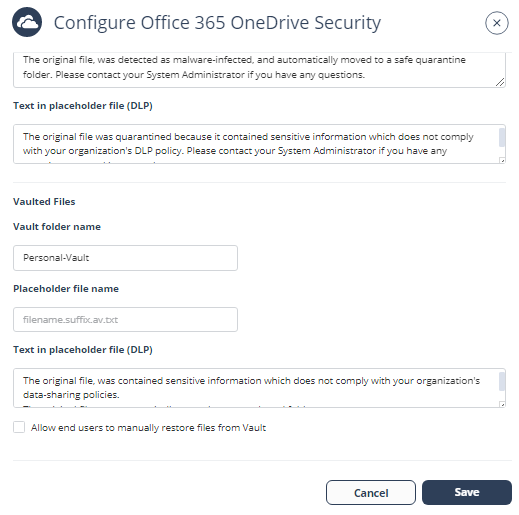
The Vault folder remediates DLP detections related to OneDrive files. The system creates a non-shared Vault folder for each OneDrive user.
If a file contains sensitive information that does not comply with your organization's data-sharing policies, the system removes it and places it in the user's Vault folder.
Note:
-
The system creates the Vault folder with the specified name in the root directory of each user.
-
Users can access the files in the Vault folder but cannot share them with others.
To customize the Vault folder:
-
If you want to allow end users to manually restore files from the Vault, enable the Allow end users to manually restore files from Vault checkbox.