
Searching for Emails Based on Detection
Administrators can search for emails based on the Microsoft and Avanan detections.
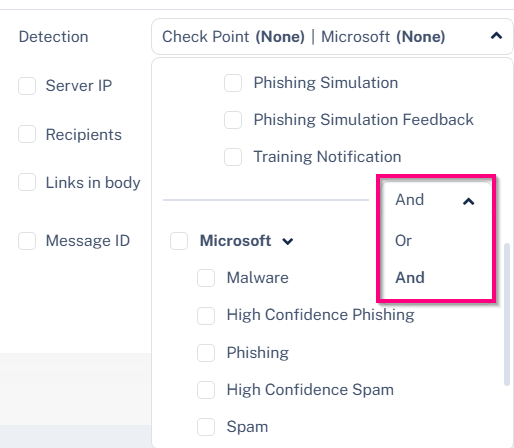
In addition, administrators can control the search condition between the Avanan and Microsoft detections.
To change the OR and AND conditions:
-
In the Detection section, select the Avanan detection filter and select the AND/OR condition as required.
Examples
| Search for | Mail Explorer Query |
|---|---|
All detected phishing emails |
Avanan detection = Phishing OR Microsoft detection = High-Confidence Phishing |
Microsoft misdetections |
Avanan detection = all but clean AND Microsoft detection = clean |
Microsoft phishing misdetections |
Avanan detection = Phishing, Malware AND Microsoft detection = all but high-confidence phishing |