
Manual changes to license assignment
After configuring the licenses for a specific group or the entire organization, you can assign or remove licenses to specific user mailboxes if required.
To assign or remove licenses to specific user mailboxes, go to System Settings > Licenses.
This menu is not available in the trial mode and when the purchased license is of a pay-as-you-go type.
The Licenses Configuration screen shows the usage status of your licenses and the individual licensing status of user mailboxes.
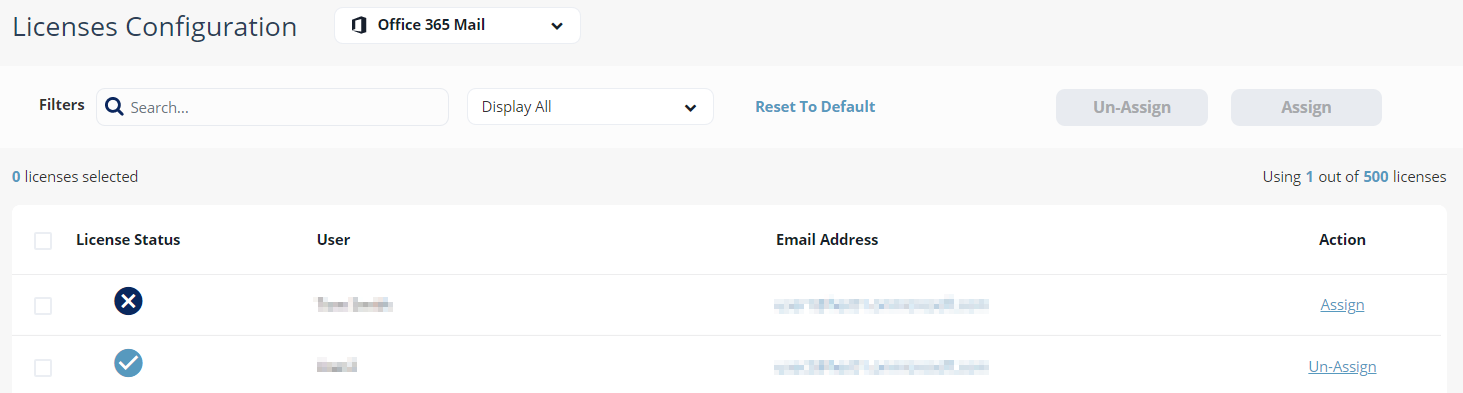
The License Status column shows if a license covers the user mailbox. To add or remove the license to a user mailbox, click Assign/Un-Assign.
You can select multiple user mailboxes and assign or un-assign a license. The license assignment might take up to four hours to become effective.