
Onboarding Next Steps
Learning Mode
After activating Office 365 Mail or Gmail, Avanan performs several calibration processes for the Anti-Phishing engine.
The processes include:
-
Scanning 13 months of email metadata (sender, recipient, subject, time) in users' mailboxes to determine the communication patterns.
-
Automatic identification of MTAs placed before Microsoft or Google. It could affect SPF checks and other aspects of detection.
While these processes are running, Avanan will be in Learning Mode. You can see a banner at the top of the dashboard. Also you can see the progress of the Learning Mode in Overview tab.
To complete these processes, it takes a couple of minutes to 72 hours, depending on the number of protected mailboxes and the volume of their emails.
In Learning Mode, no email will be flagged as phishing or spam. All Anti-Phishing scans return Phishing Status as Clean and the Detection Reason as Learning Mode.
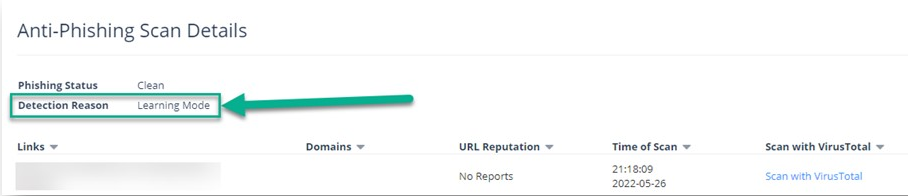
All other security engines work as usual in the Learning Mode and flag the malware, DLP, Shadow IT, and anomalies.
Avanan automatically exits Learning Mode after the calibration processes are complete.
If a Prevent (Inline) policy rule is added, Learning Mode automatically stops.
While in Learning Mode, and at times for a while after it is completed, Anti-Phishing engine automatically adjusts these parameters to fine tune the detection accuracy:
-
Upstream MTAs - In Learning Mode, Avanan automatically detects and adds MTAs to the list. It does not delete MTAs added manually by administrators. See Upstream Message Transfer Agents (MTAs).
-
Phishing Confidence Level (Threshold)
Note:If administrators configured the phishing confidence level to a value different from the default value, Avanan does not change this value.