RUA Mailbox Hosted by Avanan

Organizations that send large amounts of emails to external recipients often get a lot of DMARC RUA reports in a short period of time. The amount is so large that Microsoft and Google often reject some of them to meet their maximum allowed incoming email rate.

Avanan automatically creates a dedicated RUA mailbox for every tenant (account) in the Avanan Administrator Portal.

Note:

The hosted RUA Mailbox is compliant with RFC 7489, section-7.1.

To use the dedicated RUA mailbox:

  1. Access the Avanan Administrator Portal and click DMARC > Overview.
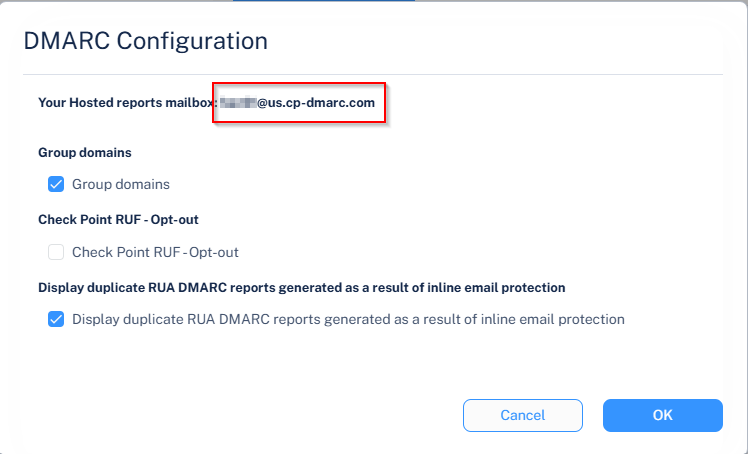
  2. From the top of the page, click Configuration.

    The DMARC Configuration pop-up appears..

  3. From the Your Hosted reports mailbox field, copy the dedicated RUA mailbox created for your tenant (account).
  4. Click OK.
  5. Add the RUA mailbox to the list of email addresses for the rua tag in your DMARC DNS record.
    Note:

    DNS changes might take up to 24 hours to reflect in the Avanan Administrator Portal.