
Tenant Restrictions
Tenant Restrictions allow administrators to control which tenants of supported SaaS applications users can access. This feature prevents users from accessing personal or unauthorized accounts on platforms such as Microsoft Office 365, Google Workspace, GitHub, Claude, ChatGPT, Dropbox, and Slack, ensuring that only organization-approved tenants are reachable from the corporate network.
To view the Tenant Restrictions page, access the SASE Administrator Portal and click Internet Access > Tenant Restrictions.
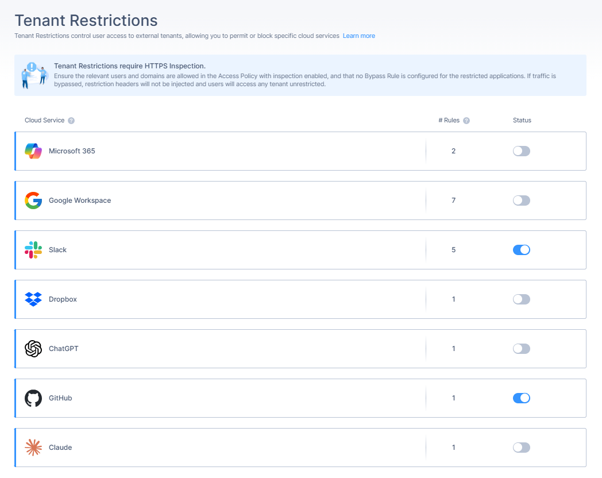
Supported Applications
Tenant Restrictions supports these applications:
-
Microsoft Office 365
-
Google Workspace
-
GitHub
-
Claude (Anthropic)
-
ChatGPT (OpenAI)
-
Dropbox
-
Slack
Policy Table Columns
| Column | Description |
|---|---|
| Cloud Service |
Displays the cloud service for which the restriction is applied:
For supported vendors, this column is auto-populated and cannot be edited. |
| Source |
Defines the groups or members the restriction applies to:
|
| Allowed Identifiers |
Specifies the tenant identifiers that users in the selected source are allowed to access. The accepted identifier format depends on the selected vendor. Examples for Microsoft Office 365:
See Allowed Identifiers. |
Specify one or more domains explicitly in the allowed identifiers to ensure the restriction is applied as intended.