
Tenant Restriction Logs
When a user attempts to sign in to a SaaS application using an account that does not belong to an allowed tenant, a blocking action is triggered by the relevant vendor and a log entry is generated on SASE. These logs help you identify unauthorized access attempts and policy gaps.
Logs are generated automatically. No additional configuration is required.
Logs examples:
-
Microsoft Office 365
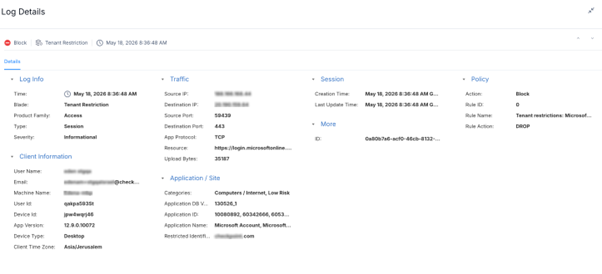
-
Google Services
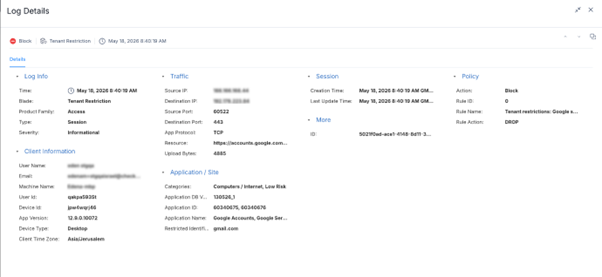
A single log entry is created for each blocked login attempt. Each entry includes:
-
User - The identity that attempted to sign in
-
Application - The SaaS application where the login was attempted
-
Restricted Identifier - The tenant identifier that the user attempted to access
-
Category - The URL category of the login endpoint
-
Policy Rule - The tenant restriction rule that blocked the attempt
-
Action - Blocked
-
Tenant Restriction Logs - Limitations
-
Logs are generated only for failed login attempts.
-
Successful logins to allowed tenants are not logged.