
"Infinity" Plugin for Grafana
Part 1 - Plugin Overview
The "Infinity" plugin allows users to load Grafana Infinity data source that enables users to visualize data from JSON, CSV, XML, GraphQL, and HTML endpoints.
This plugin is required to load the locations of Security Gateway in the Map widget.
|
|
Note - The current "Infinity" data source plugin requires Grafana v10.4.8 or newer. Reference: https://grafana.com/grafana/plugins/yesoreyeram-infinity-datasource/ |

Part 2 - Plugin Installation
Reference: https://grafana.com/docs/grafana/latest/administration/plugin-management/
-
Open the Grafana Web UI.
-
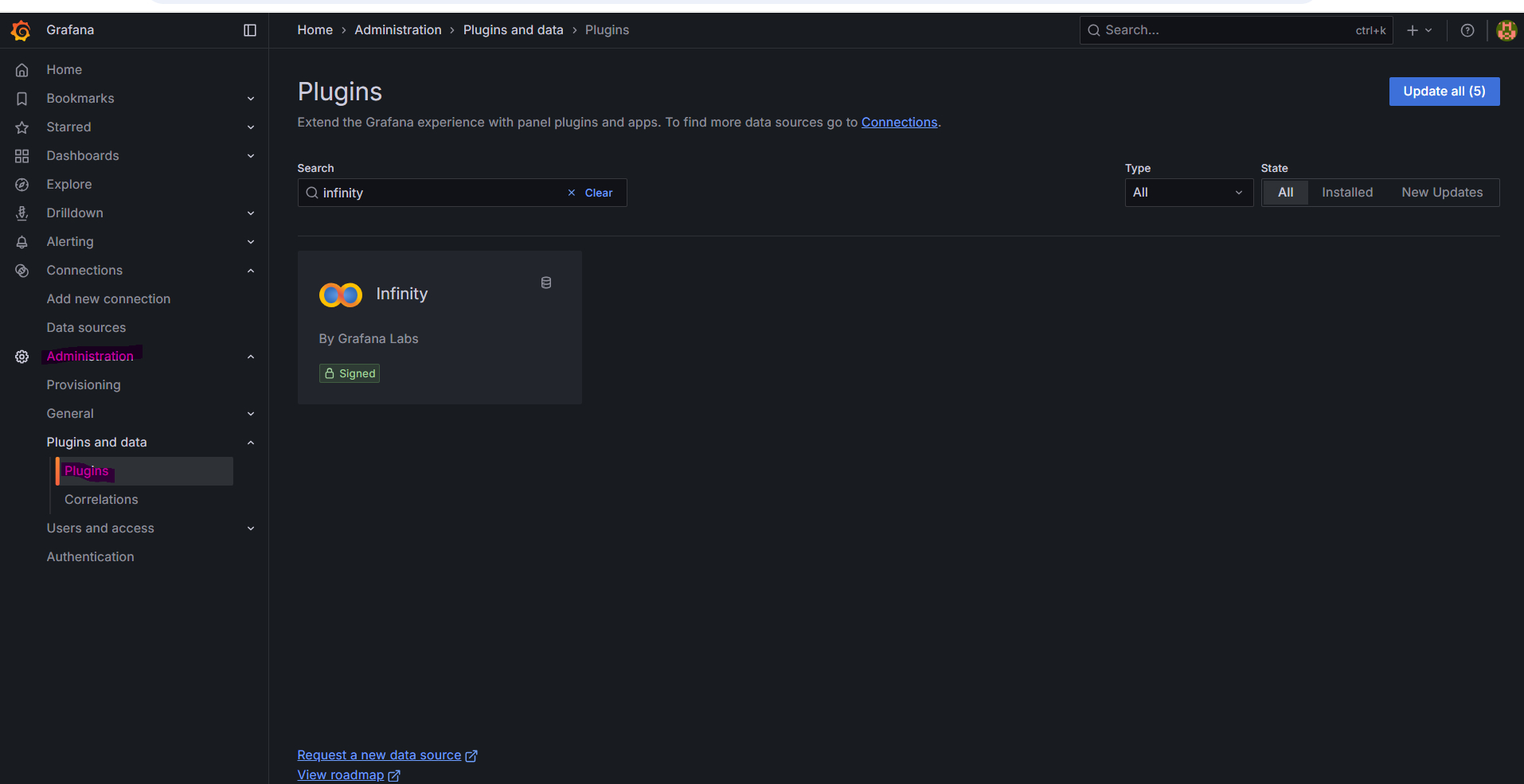
Navigate to Administration> Plugins and data > Plugins.
-
Search for: infinity
Example:
-
Click the plugin's logo.
-
Click Install.
Part 3 - Add the Infinity Data Source
-
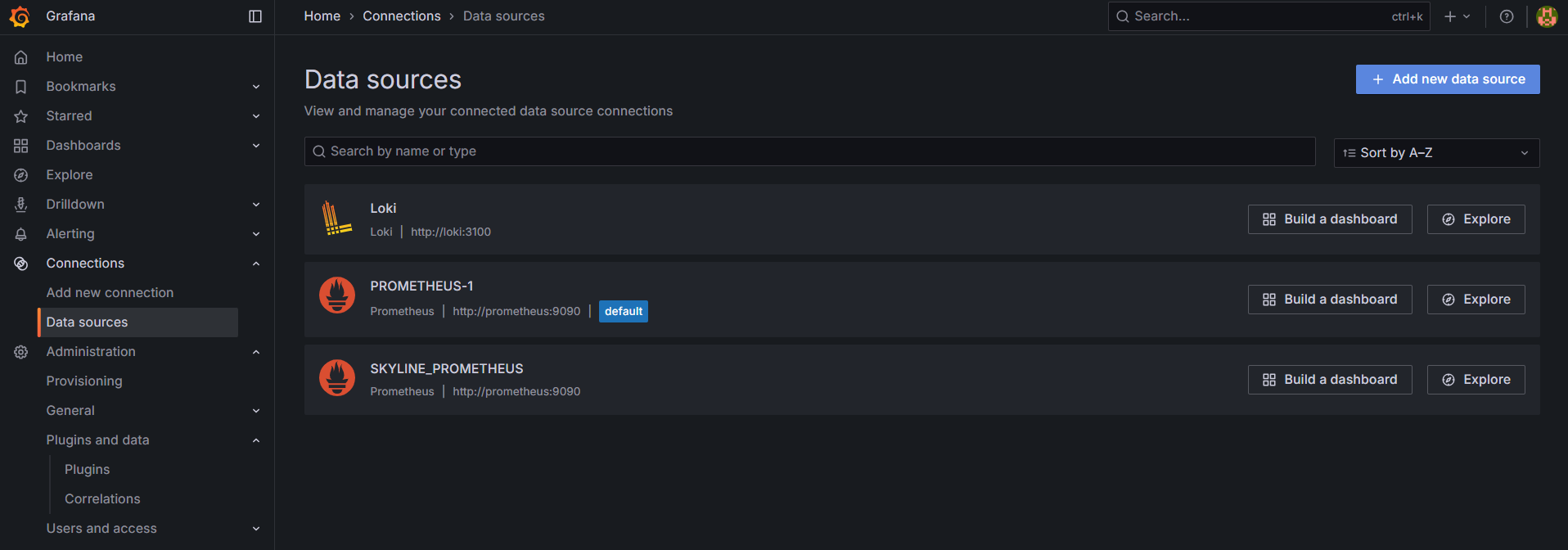
In the Grafana Web UI, navigate to Connections > Data sources.
-
Click Add new data source.
Example:
-
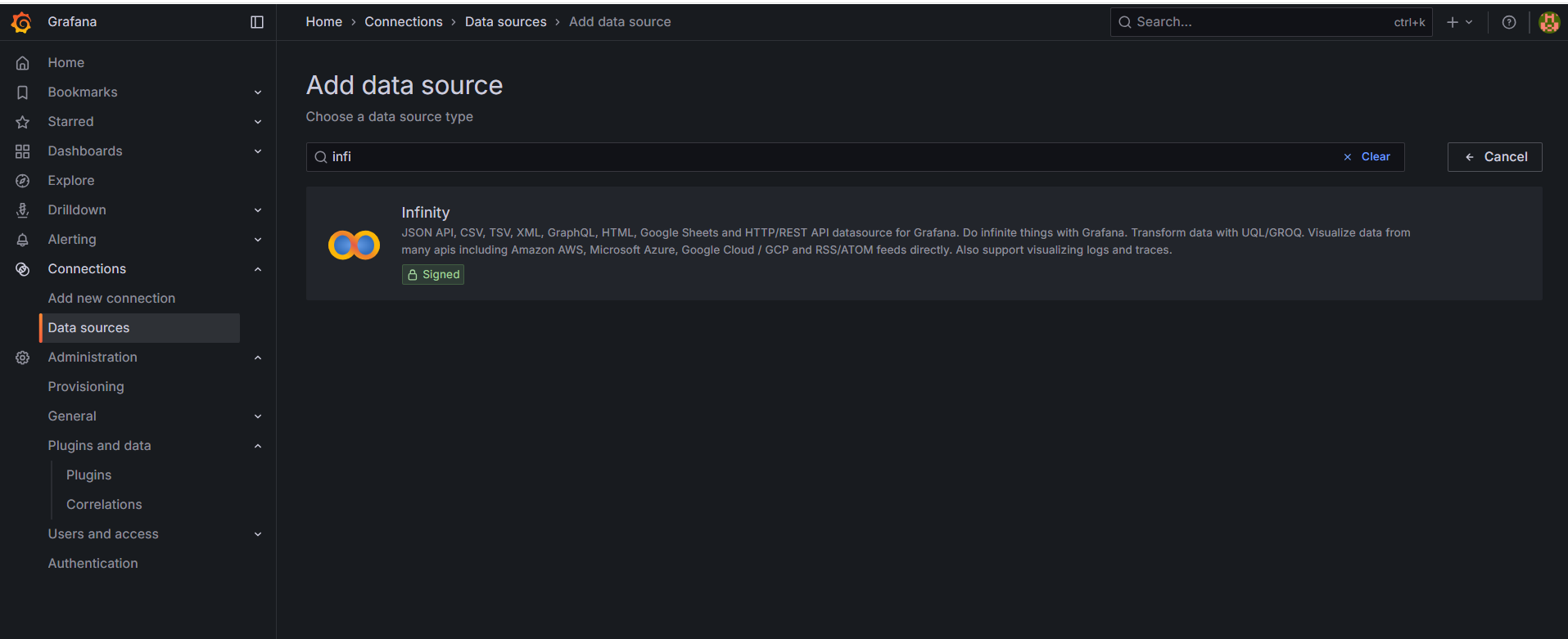
Search for: infinity
-
Click the plugin's logo.
Example:
-
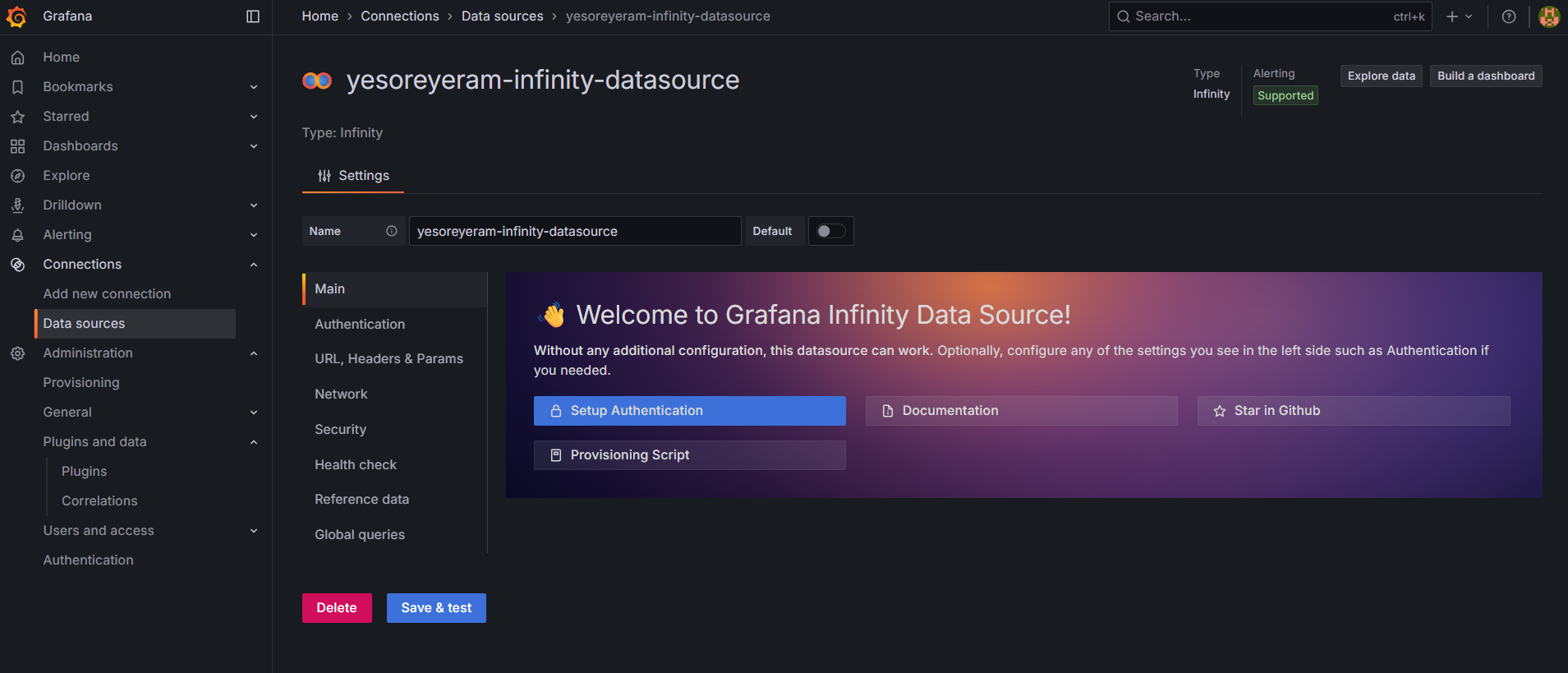
Configure your data source name.
-
Click Save & test.
Example:
Next Step: