
Operational Overview
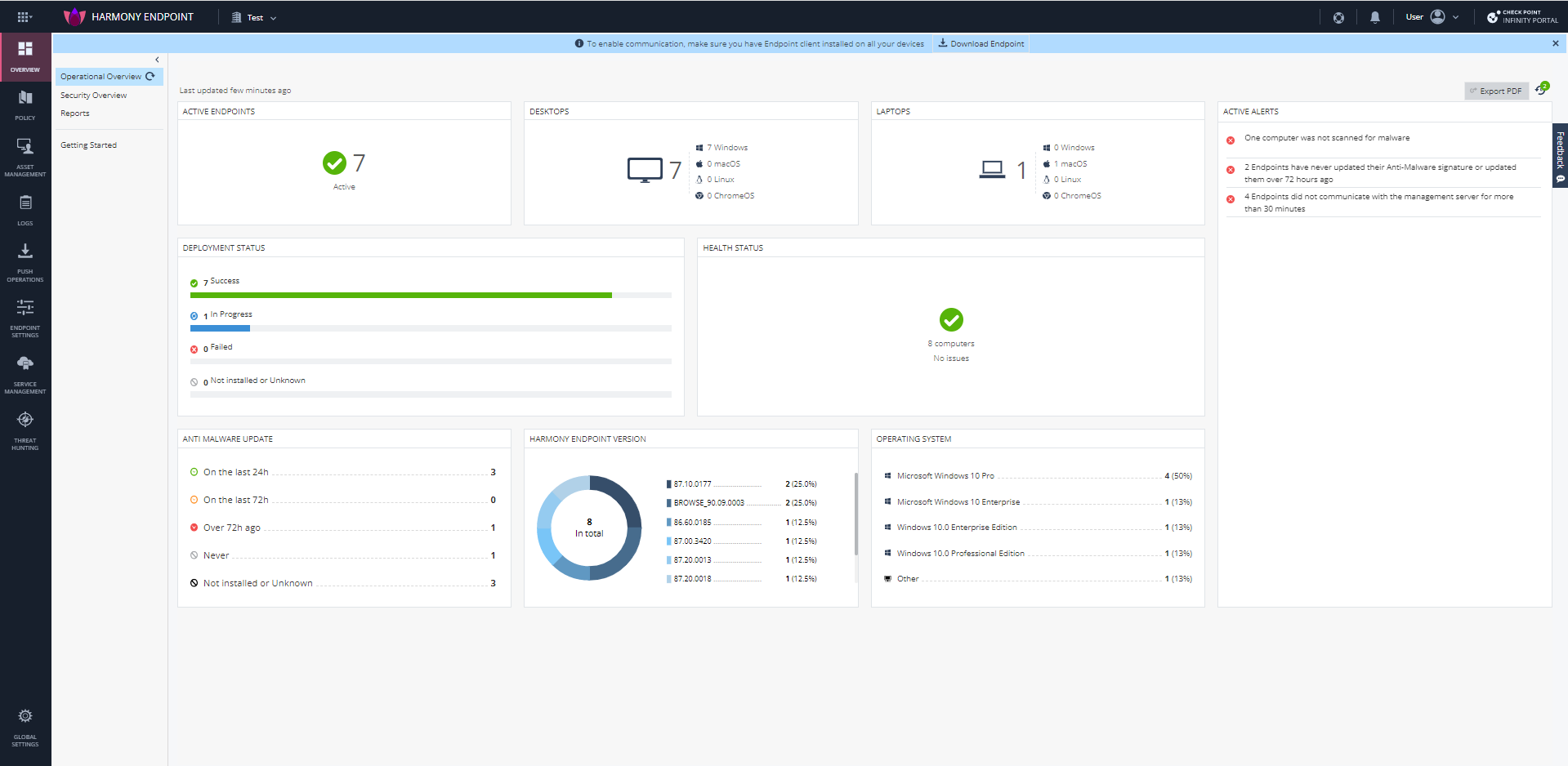
The Operational Overview page shows the deployment status of Endpoint clients in your organization, their health status, client versions and operating systems on the clients.
To view the Operational Overview page, click Overview > Operational Overview.
To export the Operation Overview data to a pdf, click Export PDF.
Active Endpoints

The Active Endpoints widget shows the number of active and inactive endpoints.
Click the numbers in the widget to view the endpoints in the Asset Management View tab.
Desktops

The Desktops widget shows the number of desktops by Operating System (Windows, macOS, Linux, and ChromeOS) that have the Endpoint Security client installed.
Laptops

The Laptops widget shows the number of laptops by Operating System (Windows, macOS, Linux, and ChromeOS) that have the Endpoint Security client installed.
Deployment Status

The Deployment Status widget shows the number of endpoints by deployment status.
Pre-boot Status
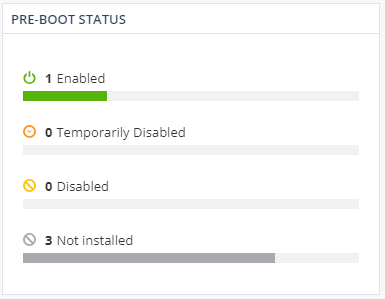
The Pre-boot Status widget shows the number of endpoints by pre-boot status.
Encryption Status
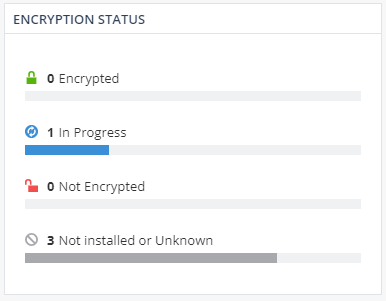
The Encryption Status widget shows the number of endpoints by encryption status.
Anti-Malware Update

The Anti-Malware Update widget shows the number of endpoints that had the Anti-Malware blade updated over different time periods.
Endpoint Security Version

The Endpoint Security Version widget shows the number of endpoints running a particular Endpoint Security client version.
Operating System
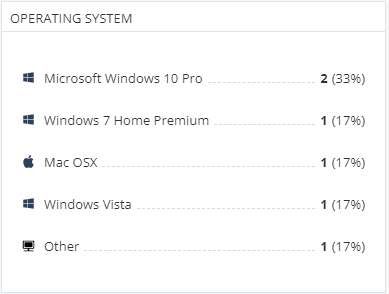
The Operating System widget shows the number of endpoints running a particular Operating System.
Alerts

The Alerts widget shows the active alerts on all the endpoints in the account.