Appendix G: Data Retention Policy
Introduction
The Data Retention Policy describes how long Email Security stores emails from Microsoft 365 or Gmail in its database. You can search and view emails stored in the database using Mail Explorer and Custom Queries.
Default Retention Period of Emails
By default, Email Security retains the emails as follows:
|
Verdict and Enforcement |
Raw Email (Original email with attachments) |
Email Meta Data (Attributes and data detected from the security scan) |
|---|---|---|
|
Clean emails (Includes emails with re-written links in the email body) |
14 days |
14 days |
|
Emails with modified attachments and emails that have cleaned (sanitized) attachments, removed as password-protected attachments, and re-written links |
14 days |
180 days |
|
Emails containing threats but not quarantined (includes emails with phishing /spam / malware / DLP detection that are not quarantined) |
14 days |
180 days |
|
Quarantined emails (includes manually quarantined emails) |
180 days |
180 days |
|
Emails quarantined by Microsoft |
180 days |
180 days |
Email Security retains security events for 12 months. For more information, see Retention of Security Events.
For information about the procedure to customize the retention period, see Customizing Retention Period of Emails.
Email Security keeps backend logs on emails for seven days after the email is delivered.
Customizing Retention Period of Emails
Email Security allows you to customize the email retention period based on the verdict of the security engines.
To configure custom retention periods for raw emails:
-
Go to System Settings > Customization.
-
Under Email Retention Settings, select Custom.
-
Based on the security engines' verdict and quarantine state, select the number of days you need to retain an email.
-
Click Save and Apply.
Note:-
Any changes to the retention period take effect within 24 hours and apply only to new emails.
-
Emails get deleted at the end of the day (UTC time zone) of each retention period. Sometimes, it may take extra time for the delete action to be completed.
-
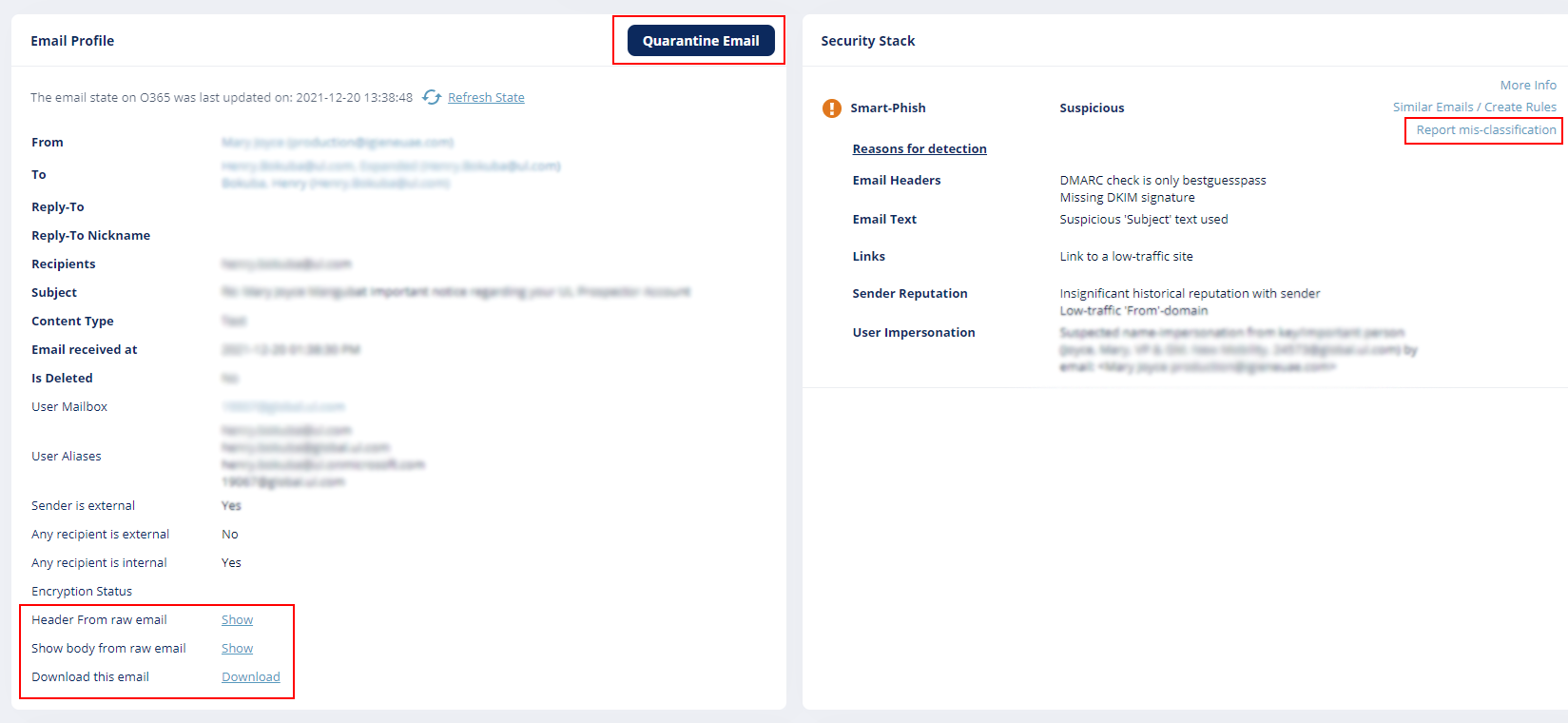
For details about the actions available during and after the retention period, see Available Actions on Emails During and After the Retention Period.
Data Retention Policy for Non-Email Applications
The data retention policy for non-email applications is applicable for:
-
Office 365 SharePoint
-
Office 365 OneDrive
-
Microsoft Teams
-
Google Drive
-
Slack
-
Dropbox
-
Box
Email Security retains the data of non-email applications as follows:
|
Data Type |
Retention Period |
|---|---|
|
Metadata of clean and malicious items (messages and shared files) |
6 months |
|
Data (files and messages) |
24 hours |
|
Quarantined items |
6 months |
Available Actions on Emails During and After the Retention Period
Actions you can perform after you open an email:
|
Email Type |
Period |
Actions |
|---|---|---|
|
Clean Email |
During the retention period |
|
|
|
||
|
After the retention period |
Email is not available. |
|
|
|
||
|
Detected but non-quarantined email |
During the retention period |
|
|
|
||
|
After the retention period (Configured retention period - 180 days) |
|
|
|
|
||
|
After 180 days |
Email is not available. |
|
|
Quarantined email |
During the retention period |
|
|
|
||
|
After the retention period |
Email is not available. |
|