Adding a Threat Extraction Allow-List Exception
To add a Threat Extraction Allow-List exception:
- Click Security Settings > Exceptions > Threat Extraction.
-
Click Create Allow-List.
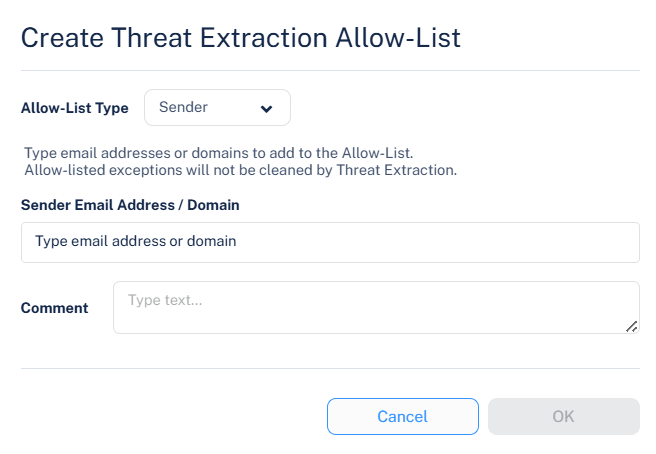
The Create Threat Extraction Allow-List pop-up appears.
-
From the Allow-List Type dropdown, select the required option.
Sender
File Hash
-
Enter the required sender/recipient's email address or domain/file MD5.
Sender Address / Domain - Attachments in emails from these senders or domains are not cleaned before delivery to end users.
File Hash - Attachments that match the allow-listed file hashes are not cleaned before delivery to end users.
Note:Attachments allow-listed here still undergo sandbox inspection. However, they just not be cleaned (CDR) before delivery to end users.
- In the Comment field, enter a comment for the allow-list rule.
- Click OK.