
Activating SPF Management
Avanan uses the SPF Macro Mechanism, which allows an unlimited number of SPF entries to be defined.
To activate the SPF Management for Avanan, edit your organizational domain's DNS SPF record to include this statement:
include:{code}.spf.checkpoint-spf.com
or replace it entirely with this SPF record:
v=spf1 include:{code}.spf.checkpoint-spf.com ~all
where {code} is the unique code specific to your organization. You can find the code from the Instructions widget.
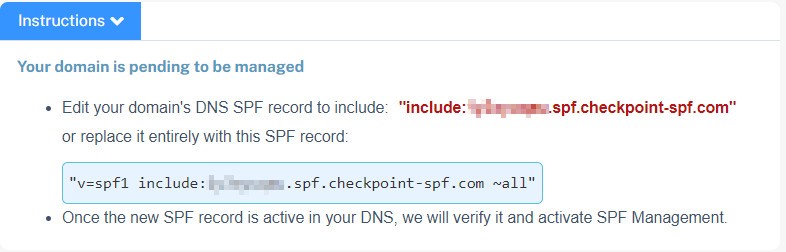
Once the new SPF record is active in your DNS, Avanan verifies it and activates SPF Management.
If you use Microsoft deployments as part of DMARC onboarding, the SPF entry for Outlook will be included along with the Avanan SPF reference. For example, v=spf1 include:abcd12345.spf.checkpoint-spf.com include:spf.protection.outlook.com -all