Scheduling an Export of Query Results

To schedule an export of query results to your email address:

  1. Go to Analytics > Custom Queries.
  2. Select or create a query, see Creating and Saving a New Query.

    After you select a query, the system displays the list of available query results.

  3. Click Query Actions > Scheduled Export.

    The Scheduled Export pop-up appears.
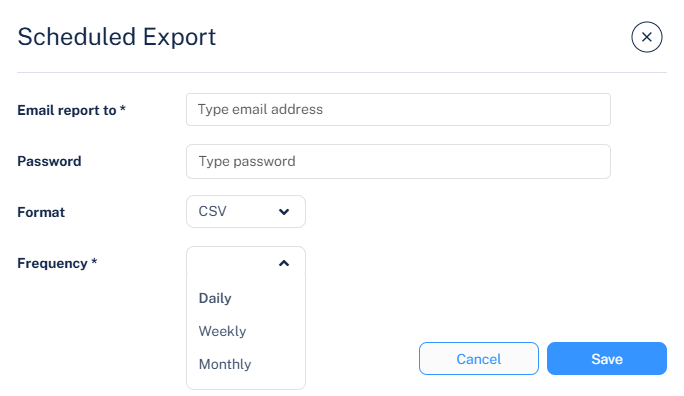
  4. In the Email report to field, enter the email address.
  5. In the Password field, enter the password.
  6. From the Format dropdown, select the required file format.
    • CSV

    • JSON

    • XLSX

  7. From the Frequency dropdown, select the required option.
    • Daily

    • Weekly

    • Monthly

  8. Click Save.