Jump to main content
Avanan Administration Guide

Configure Click-Time Protection exceptions
-
Navigate to Security Settings > Exceptions > Click-Time.
-
From the drop-down in the top, select the exception type.
-
To create an allow-list, click Create Allow-List.
-
To create a block-list, click Create Block-List
-
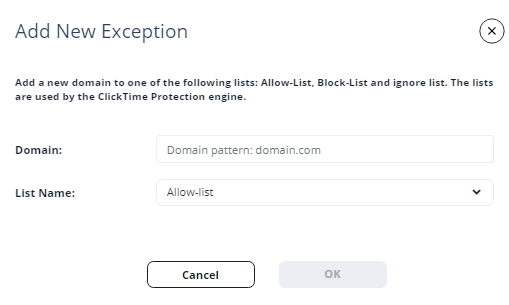
Under Domain, enter the required domain in the Domain pattern: domain.com format.
-
In the List Name drop-down, select the required exception type (Block-list, Allow-list, Ignore-list).
-
Click OK.