After the administrator enforces MFA, the user must enable the MFA.
-
Access the Avanan
Administrator Portal.
-
In the Overview page, open the menu under your user name in the top right corner and select MFA Setup.
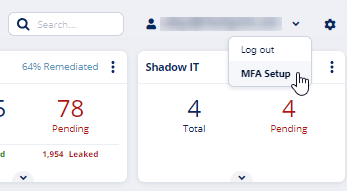
The MFA Setup screen appears that shows the QR code.
-
Open the Google Authenticator app on your device and scan the QR code.
The Avanan portal is added to the Google Authenticator app and shows the authentication code.
-
In the Enter the Auth Code field, enter the authentication code.
-
Click Enable MFA.
-
Click OK.
The screen shows the authentication status.
To disable MFA for a user, contact Avanan Support.
