
File Access Policy
File Access Policy provides rule-based control over which file types users can download. This is separate from Threat Prevention, which inspects file content for malicious activity. Use File Access Policy to enforce data hygiene policies such as blocking executable downloads from the internet, restricting script files to specific user groups, or preventing archive downloads from untrusted destinations.
Rules are evaluated top to bottom. The first matching rule determines the action. A default Allow rule at the bottom of the policy ensures unmatched download traffic is permitted. Files that are not blocked by this policy continue to Threat Prevention scanning.
|
|
Note -
|

Limitations
-
File Access Policy does not evaluate file size. To enforce size-based restrictions, configure the file size limits in the Security Profile.
-
File type enforcement requires HTTPS Inspection to be enabled. Traffic that is not inspected is not evaluated against File Access Policy rules. For more information, see HTTPS Inspection Policy.
-
File Access Policy applies to download activity only.
-
File Access Policy applies to agent-based traffic only.
To view the File Access Policy page, access the SASE Administrator Portal and click Internet Access > File Access Policy.
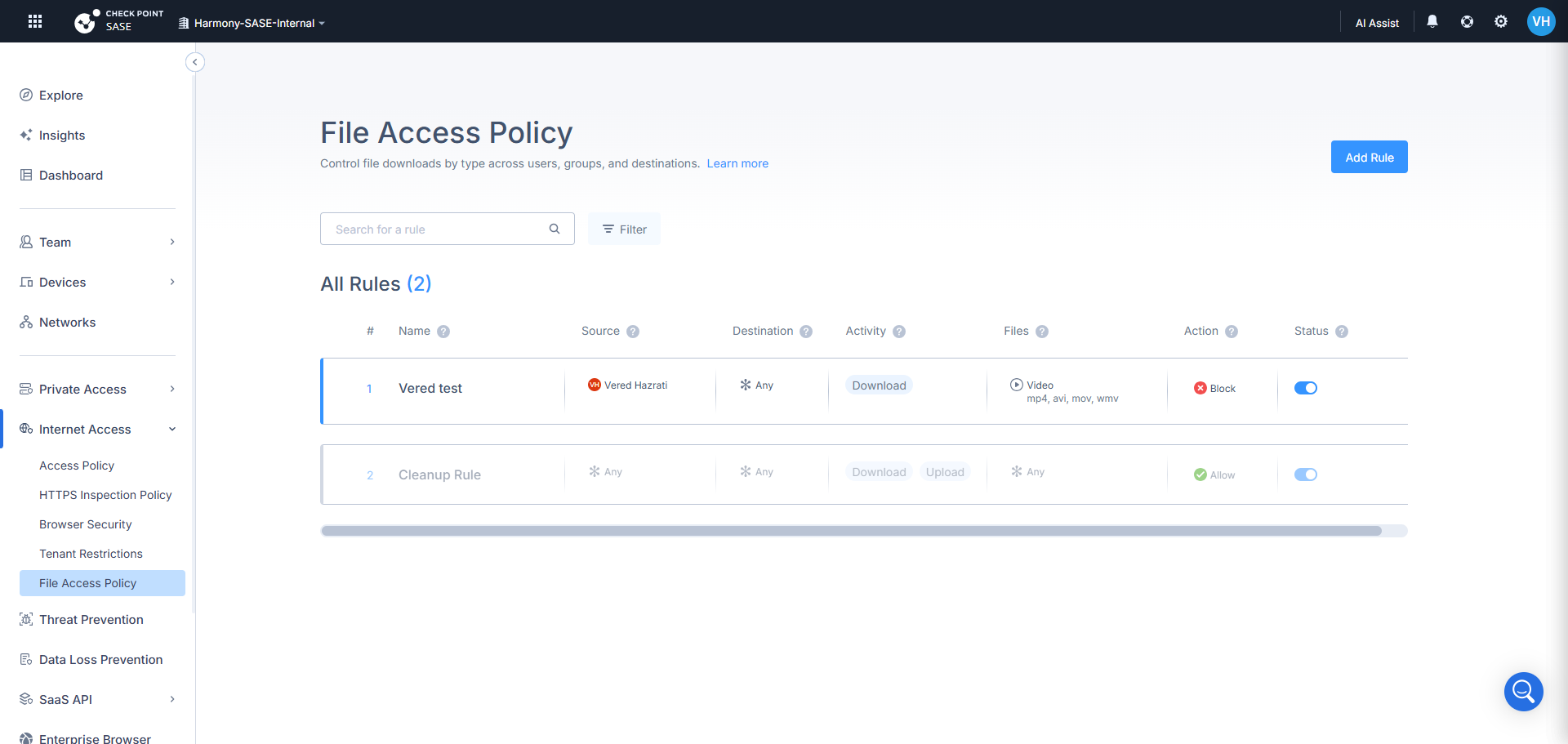
Each rule contains the following fields:
|
Column |
Description |
|---|---|
|
Name |
A descriptive label for the rule. |
|
Source |
The users or groups the rule applies to. The default is Any. |
|
Destination |
Web categories, custom URLs, applications, or updatable objects. The default is Any. |
|
Activity |
Download (the only supported activity). |
|
File Constraints |
The file families or specific extensions the rule targets. |
|
Action |
Allow or Block. |
|
Status |
Enable or disable the rule without deleting it. |
|
|
Note - Rules can be reordered by dragging. Rules can also be duplicated and individually enabled or disabled. |
File Families
File constraints can be defined by selecting one or more preset file families, adding custom extensions, or both.
|
File Family |
Extensions |
|---|---|
|
Executable |
exe, msi, dll, bat, cmd, com |
|
Document |
docx, doc, rtf, odt |
|
|
|
|
Spreadsheet |
xlsx, xls, csv |
|
Archive |
zip, rar, 7z, tar, gz |
|
Script |
ps1, vbs, js, py |
|
Image |
jpg, jpeg, png, gif, bmp |
|
Video |
mp4, avi, mov, wmv |
|
Audio |
mp3, wav, aac |
|
|
Note - Custom extensions can be up to 6 characters and contain no spaces. |
Logs
When a file download is blocked by a File Access Policy rule, a log entry is generated. Each entry includes the rule name, source user, destination URL, file type, and action. Logs are available in the Infinity Portal under Logs & Events.