
Dashboard
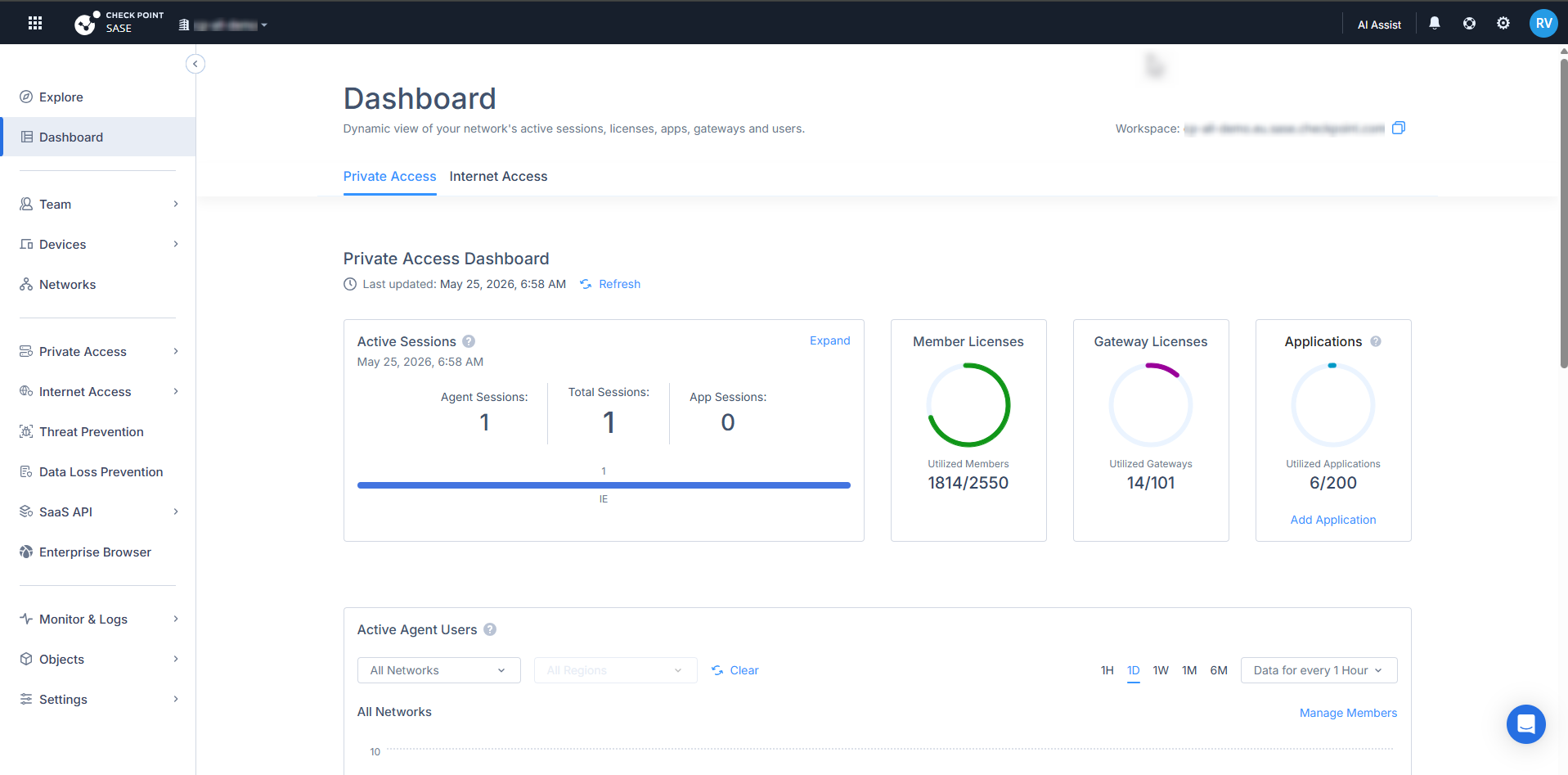
The Dashboard shows usage information for Check Point SASE, including active sessions, member licenses, gateway licenses, and configured Zero Trust Applications.
The Dashboard shows statistical data on:
To view the Dashboard page, access Check Point SASE Administrator Portal and click Dashboard.
Private Access
The Private Access Dashboard shows information related to access to private resources.
Active Sessions
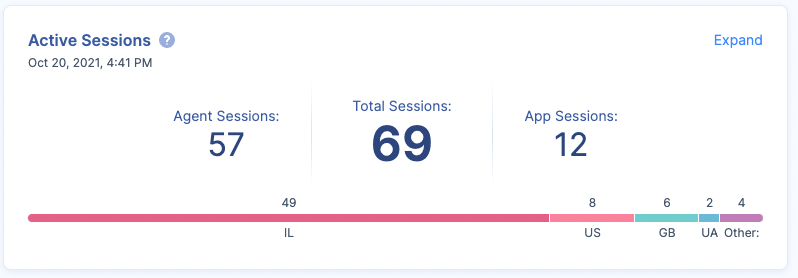
The Active Sessions widget shows:
-
Agent Sessions: The number of users connected to a network through the Check Point SASE Agent.
-
App Sessions: The number of users accessing the Zero Trust Applications.
-
Total Sessions: Total number of Agent and Application sessions.
For example, if a member is connected to a network through the Check Point SASE Agent, and is accessing two Zero Trust Applications, then the Active Sessions widget shows three active sessions, one Agent Session and two App Sessions.
To view the detailed information, click Expand. The system redirects to the Active Sessions page.
Member Licenses
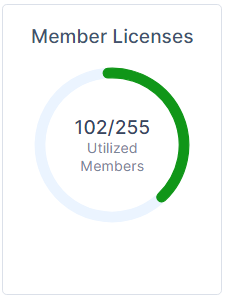
The Member Licenses widget shows the number of member licenses utilized out of the purchased licenses.
Gateway Licenses
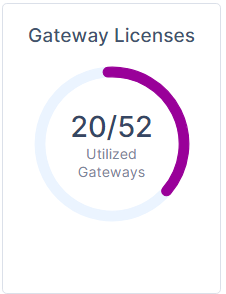
The Gateway Licenses widget shows the number of gateway licenses utilized out of the purchased licenses.
Applications
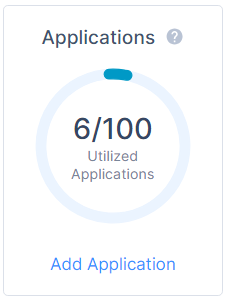
The Applications widget shows the number of applications accessed out of the configured applications.
To add an application, click Add Application. For more information, see Applications.
Active Agent Users
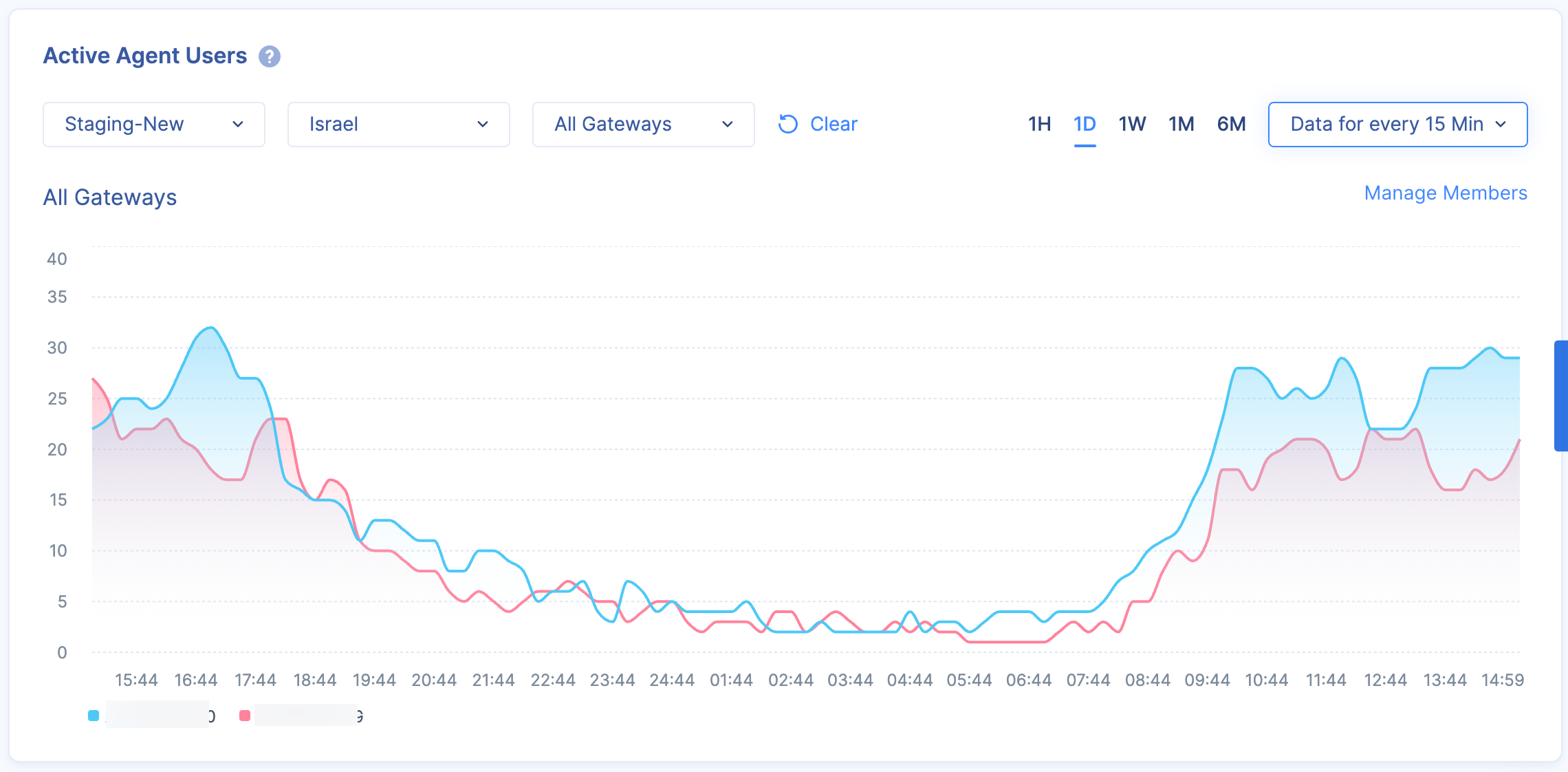
The Active Agent Users widget shows the live and historical data of members connected to a network through the Check Point SASE Agent.
You can filter the data by Network, Region, Gateway, time frame and scale.
For a network and region, you can compare the data for up to three gateways.
Users Bandwidth
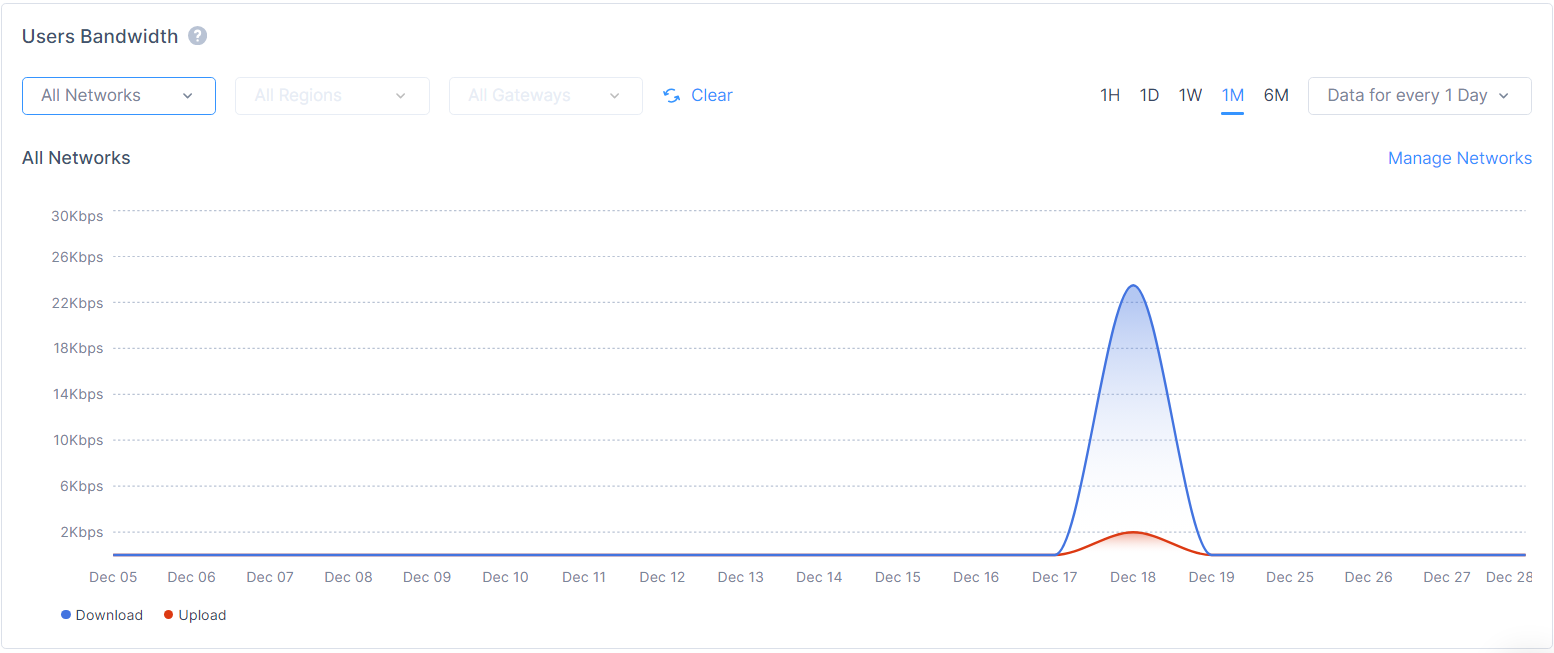
The Users Bandwidth widget shows the live and historical bandwidth used (upload and download) by members connected to the Check Point SASE Agent.
You can filter the data by Network, Region, Gateway, time frame and scale.
For a network and region, you can compare the data for up to three gateways.
OS Distribution
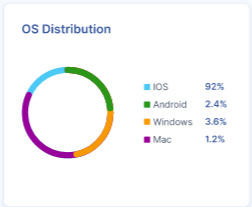
The OS Distribution widget shows the distribution of devices by operating systems.
Device Type Distribution

The Device Type Distribution widget shows the distribution of devices by type.
Agent Version by OS
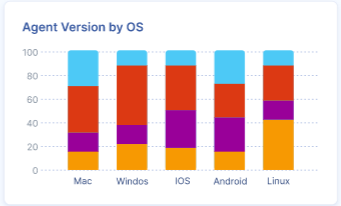
The Agent Version by OS widget shows the distribution of Check Point SASE Agent across different operating systems.
Internet Access
The Internet Access Dashboard shows information related to secure Internet access.
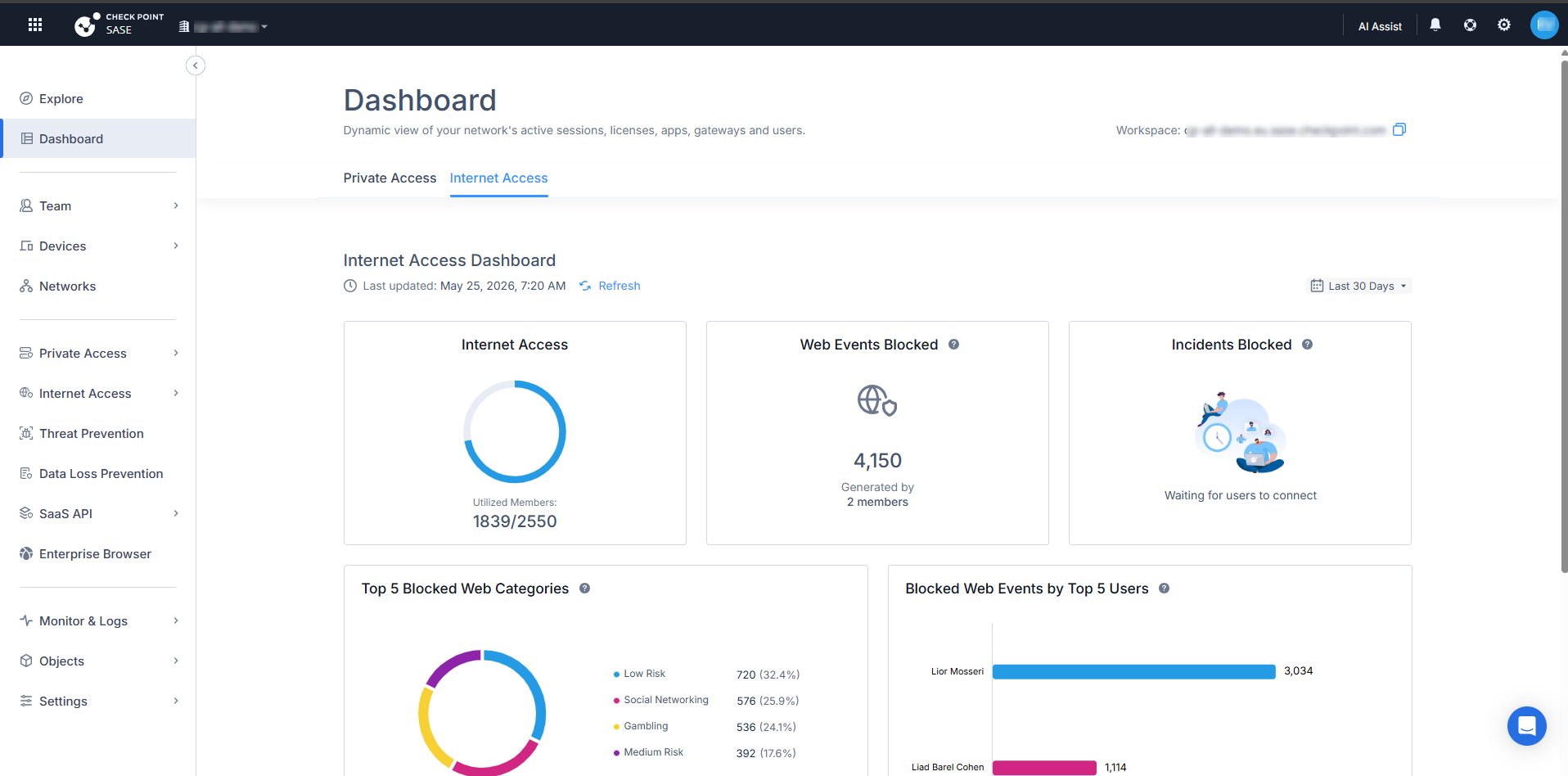
At the top right of the Internet Access Dashboard, you can select a time range filter.
Select any of these:
-
Last 24 Hours
-
Last 7 Days
-
Last 30 Days
The Dashboard updates the displayed data based on the selected time range.
Internet Access
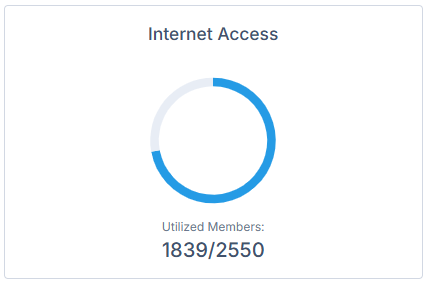
The Internet Access widget shows Internet Access license usage.
It displays the number of utilized members compared to the total number of licensed members.
Web Events Blocked
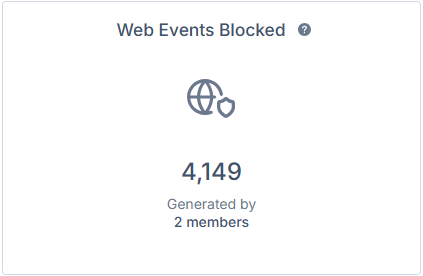
The Web Events Blocked widget shows the number of web events blocked.
It also shows the number of members that generated the blocked events.
Incidents Blocked

The Incidents Blocked widget shows information about blocked incidents.
Top 5 Blocked Web Categories
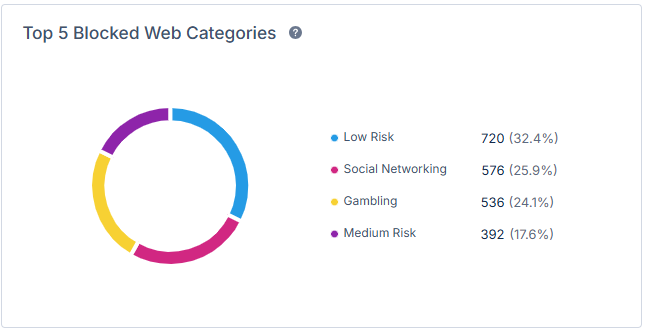
The Top 5 Blocked Web Categories widget shows blocked web events grouped by category.
The chart shows the distribution by category and percentage.
Blocked Web Events by Top 5 Users
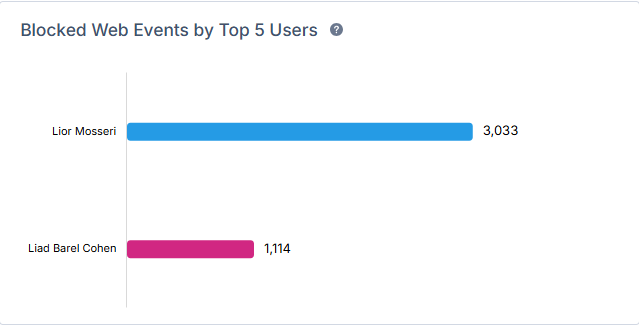
The Blocked Web Events by Top 5 Users widget shows users with the highest number of blocked web events.
Top 5 Blocked Malware Types
The Top 5 Blocked Malware Types widget shows blocked malware events grouped by malware type.
Blocked Malware by Top 5 Users

The Blocked Malware by Top 5 Users widget shows users associated with blocked malware events.