
BlackBerry UEM On-Premises - Configuring the Mobile Security Dashboard
Prerequisites
You need the following details from your BlackBerry UEM Unified Endpoint Management. An architecture and approach that controls different types of devices such as computers, smartphones and IoT devices from a centralized command point. On-Premises Deployment:
-
Server: The root URL to your BlackBerry UEM on-premises instance. Example, https://blackberry-uem.example.com/
-
SRP ID: This is the SRP ID from BlackBerry licensing registered to your instance, in the form of <Sxxxxxxxx> ("x" denotes a digit from 0 to 9). To obtain this value, go to the BlackBerry UEM Console and click Help > About BlackBerry UEM.
-
BlackBerry UEM Username and Password: The Admin credentials created in BlackBerry UEM console. See .
-
Groups(s): The BlackBerry UEM user provisioning groups to which the users/devices to be registered to Mobile Security are grouped, and will be integrated with the Mobile Security Dashboard.
If a Parent Organization Group is integrated with a Mobile Security Dashboard, then any child Organization Group of that Parent cannot be integrated with a different Mobile Security Dashboard.

|
Note - Only the devices are synchronized from BlackBerry UEM to the Mobile Security dashboard, not users. If a user does not have a device enrolled, their information will not be synchronized to the Mobile Security dashboard. |
Integration Procedure
-
Log in to the Check Point Portal and access the Mobile Security dashboard.
-
Go to Settings > Integration.
-
Click Add > UEMs.
-
In the UEM integration window, select BlackBerry UEM and click Next.
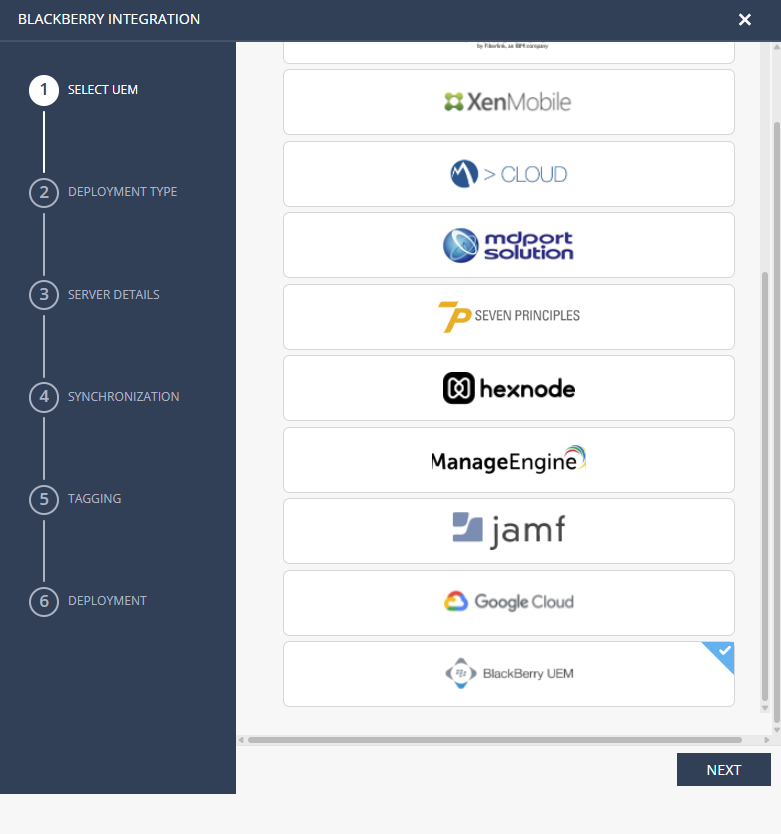
The BlackBerry Integration wizard appears.
-
Select BlackBerry on-premise.

-
Click Next.
-
Configure these settings:
Server Details
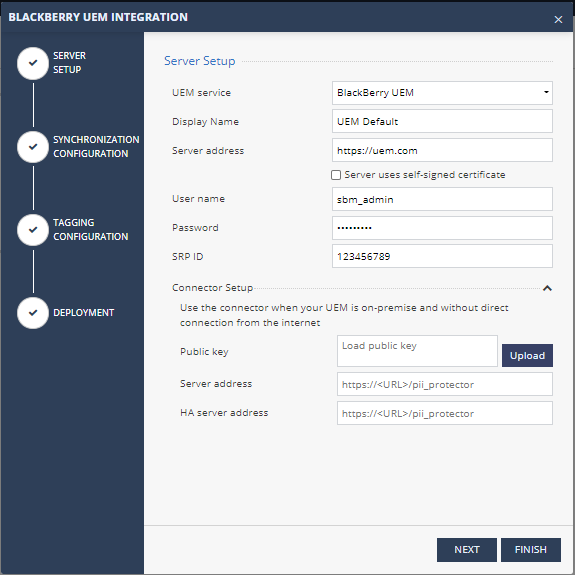
In Server Setup section, enter this information:
-
Display name
-
Server Address - URL of BlackBerry UEM on-premise instance.
-
Port - 18084
-
If the UEM server uses a self-signed certificate for external communication, select the Server uses self-signed certificate checkbox to upload the certificate directly (use CER file format base64 [PEM] encoded) or just paste the certificate text directly in the box.
-
Username - User name from the BlackBerry UEM console.
-
Password - Password for the above user.
Note - Make sure the password does not contain quotes (") due to BlackBerry API limitation.
-
(Optional) If you want to use OAuth2 authentication method, select the checkbox and enter the Client ID and Client Secret created in .
-
SRP ID
Synchronization
The setup is same as the BlackBerry UEM Cloud. See Synchronization.
Tagging
The setup is same as the BlackBerry UEM Cloud. See Tagging.
Deployment
The setup is same as the BlackBerry UEM Cloud. See Deployment.
When the integration is complete, the BlackBerry UEM pane appears in the Integrations screen.
