
Daily Log Ingestion
The Daily Log Ingestion widget shows the volume of logs that each product uploads to Infinity Cloud Events per day.

-
To view the volume of logs uploaded on a specific date, hover over the date.

-
To view the daily log ingestion for a specific product, click the product name at the bottom.

-
To view the daily log ingestion for a specific month, click the month in the Average monthly ingestion widget.
The Daily log ingestion widget shows the volume of logs uploaded on each day of the selected month.

-
To view the volume of logs uploaded for a specific period:
-
Press the mouse button and drag it over the required period.
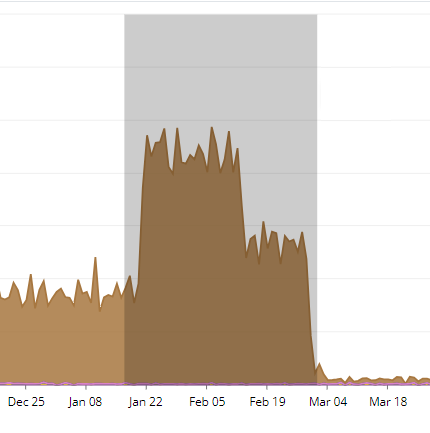
The widget shows the daily log ingestion for the selected period.

-
Press the mouse button and drag it over the required period.