
Activating SPF Management
Email Security uses the SPF Macro Mechanism, which allows an unlimited number of SPF entries to be defined.
To activate the SPF Management for Email Security, edit your organizational domain's DNS SPF record to include this statement:
include:{code}.spf.checkpoint-spf.com
or replace it entirely with this SPF record:
v=spf1 include:{code}.spf.checkpoint-spf.com ~all
where {code} is the unique code specific to your organization. You can find the code from the Instructions widget.
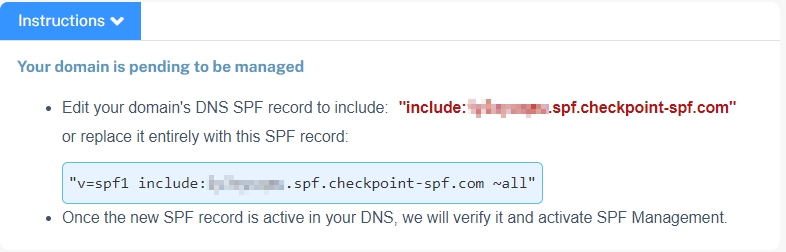
Once the new SPF record is active in your DNS, Email Security verifies it and activates SPF Management.
If you use Microsoft deployments as part of DMARC onboarding, the SPF entry for Outlook will be included along with the Check Point SPF reference. For example, v=spf1 include:abcd12345.spf.checkpoint-spf.com include:spf.protection.outlook.com -all