Configure the SPF record in your domain's DNS to allow Check Point to send emails on behalf of your domain, prevent spoofing, and improve deliverability.
Go to Security Settings > Relay > Domains.
Click the icon for the required domain.
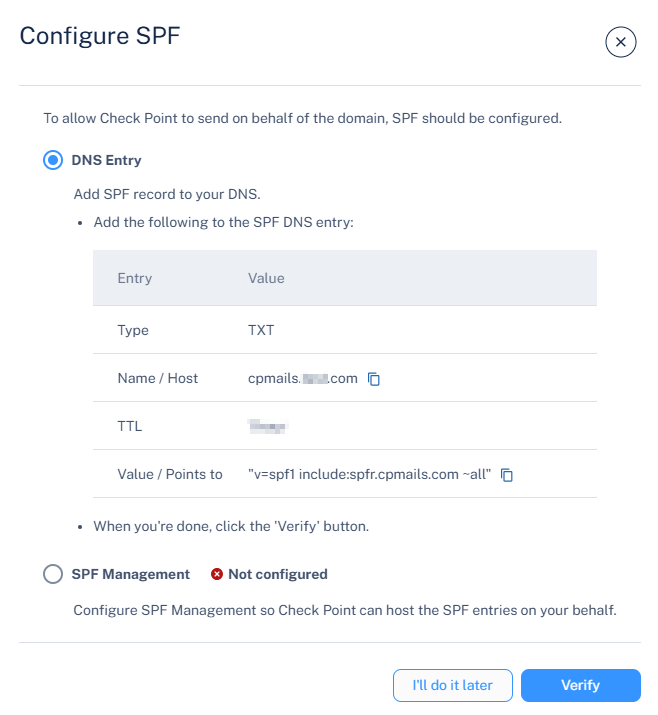
Click Configure SPF.
The Configure SPF pop-up appears.
In the DNS Entry section, add or update the SPF record as shown below.
SPF Record Example:
Entry
Value
Type
MX
Name/Host
cpmails.example.com
TTL
3600
Value/Points to
v=spf1 include:spfr.cpmails.com ~all
After the DNS record is created, click Verify to validate and activate the configuration.
 icon for the required domain.