
CloudGuard Controller for Nutanix
Connecting to a Nutanix Prism Server in SmartConsole
|
Step |
Instructions |
|---|---|
|
1 |
In SmartConsole
|
|
2 |
In the Enter Object Name field, enter the applicable name. |
|
3 |
In the Hostname field, enter the IP address or hostname of your Nutanix |
|
4 |
In the Username field, enter your Nutanix Prism Central administrator username. |
|
5 |
In the Password field, enter your Nutanix Prism Central administrator password |
|
6 |
Click Test Connection. |
|
7 |
Click OK. |
|
8 |
Publish the SmartConsole session. |
|
9 |
Install the Access Control policy on the Security Gateway object. |

Connecting to a Nutanix Data Center Server with Management API
Go to Management API Reference > Click on see arguments per Data Center Server type and select Nutanix.
Connecting to a Nutanix Data Center Server with Terraform
See https://registry.terraform.io/providers/CheckPointSW/checkpoint/latest.
Adding a user in Nutanix Prism Central with minimum permissions
|
|
Note - These instructions are supported starting from Nutanix Prism Central Version pc.2024.2 |

To add a user with minimum permissions, follow these steps:
-
Add a new local user.
-
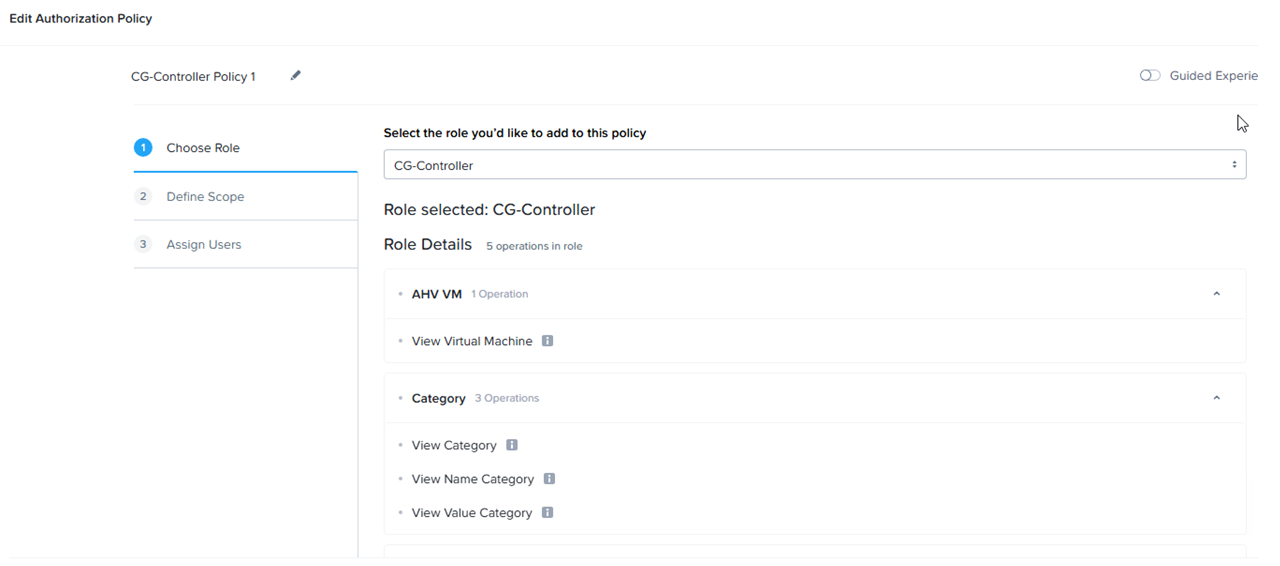
Create a new Role with these Operations:
-
In AHV VM:
-
View virtual machine
-
-
In Category:
-
View Category
-
View Name Category
-
View Value Category
-
-
In Category Mapping:
-
View Category Mapping
-
For example:

-
-
Create an Authorization Policy:
-
In Choose Role tab, select the role you created before, for example:
-
-
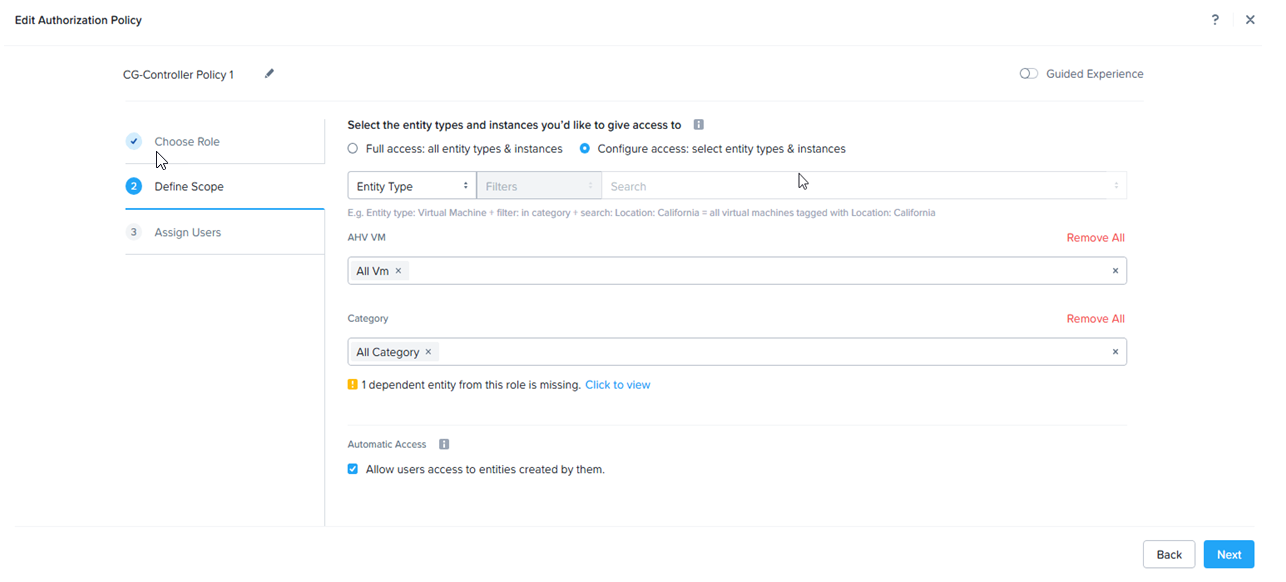
In the Define Scope tab:
-
Check the Configure access: select entry types & instances check box.
-
In the AHV VM field, enter All VM.
-
In the Category field enter All Category.
-
Check the Allow users access to entities created by them.
For example:
-
-
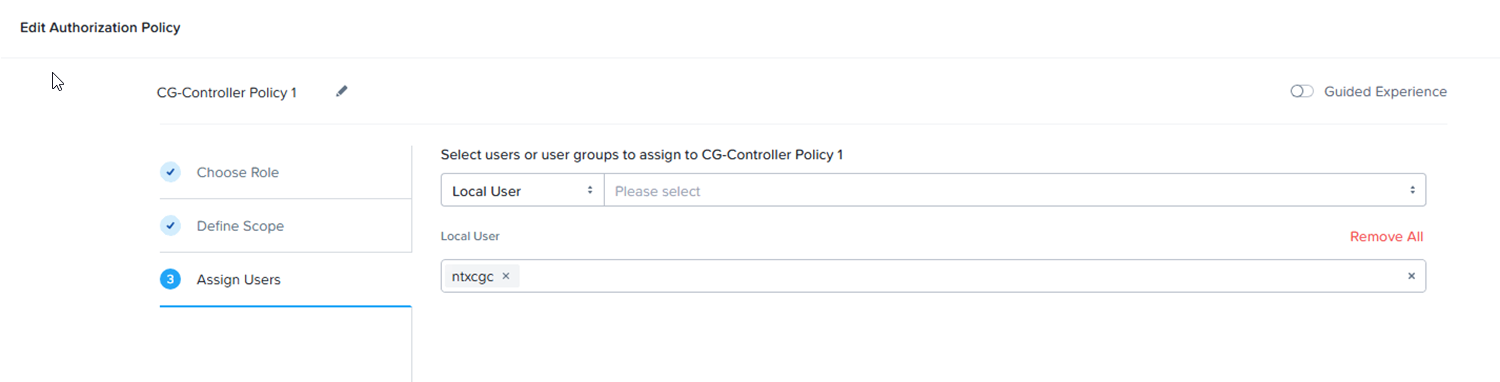
In the Assign Users tab, add the local user you created in step 1.
For example:
-
Click Save.
Nutanix Objects
| Object | Description |
|---|---|
|
VM |
Represents an entity of type ‘VM’ in Nutanix Prism |
|
Category |
A category in Nutanix Prism contains values, and a VM can be assigned with values. In SmartConsole, a category contains all the VMs that are assigned with any of the values of that category. |
The entities (objects) that are imported from the data center, whether a VM or a category, have the following properties:
Nutanix Imported Properties
| Imported Property | Description |
|---|---|
|
Name |
Name of the entity |
|
Name in data center |
Name of the entity in Nutanix Prism data center: |
|
Type in data center |
Type of the entity in Nutanix Prism data center (e.g. VM, category) |
|
IP |
All the VM’s IP addresses |
|
Note |
Description of the entity |
|
URI |
Object path |